
• HOME
  • Image Generator
  • Photo Editing
  • Video
  • Text Generation
  • Assistant
  • Terms of Use
  • About Us
  • Privacy Policy

bauns.top bauns.top

  • HOME
  • Image Generator
  • Photo Editing
  • Video
  • Text Generation
  • Assistant
bauns.top bauns.top
AI Product Review » Photo Editing » Photo Colorization: AI automatically colors old black-and-white photos, intelligently identifying and converting them into color images.
Photo Editing

Photo Colorization: AI automatically colors old black-and-white photos, intelligently identifying and converting them into color images.

Photo Colorization: AI automatically colors old black-and-white photos, intelligently identifying and converting them into color images.

If you encounter an old black-and-white photo and want to colorize it, the process is typically time-consuming and quite expensive. However, with artificial intelligence (AI) technology, this can be accomplished in seconds, almost entirely automatically, while still achieving excellent results. Five years ago, I introduced “ColouriseSG: Turn Black-and-White Photos into Color! A Deep Learning Colorization Tool Trained on 500,000 Vintage Images,” which was likely one of the earliest applications of this technology. Later, I recommended another tool, Kolorize, a truly powerful solution for converting black-and-white photos to color! Though not a free service, it's worth trying, especially since it includes enhancement features that can enlarge photos without loss of quality.

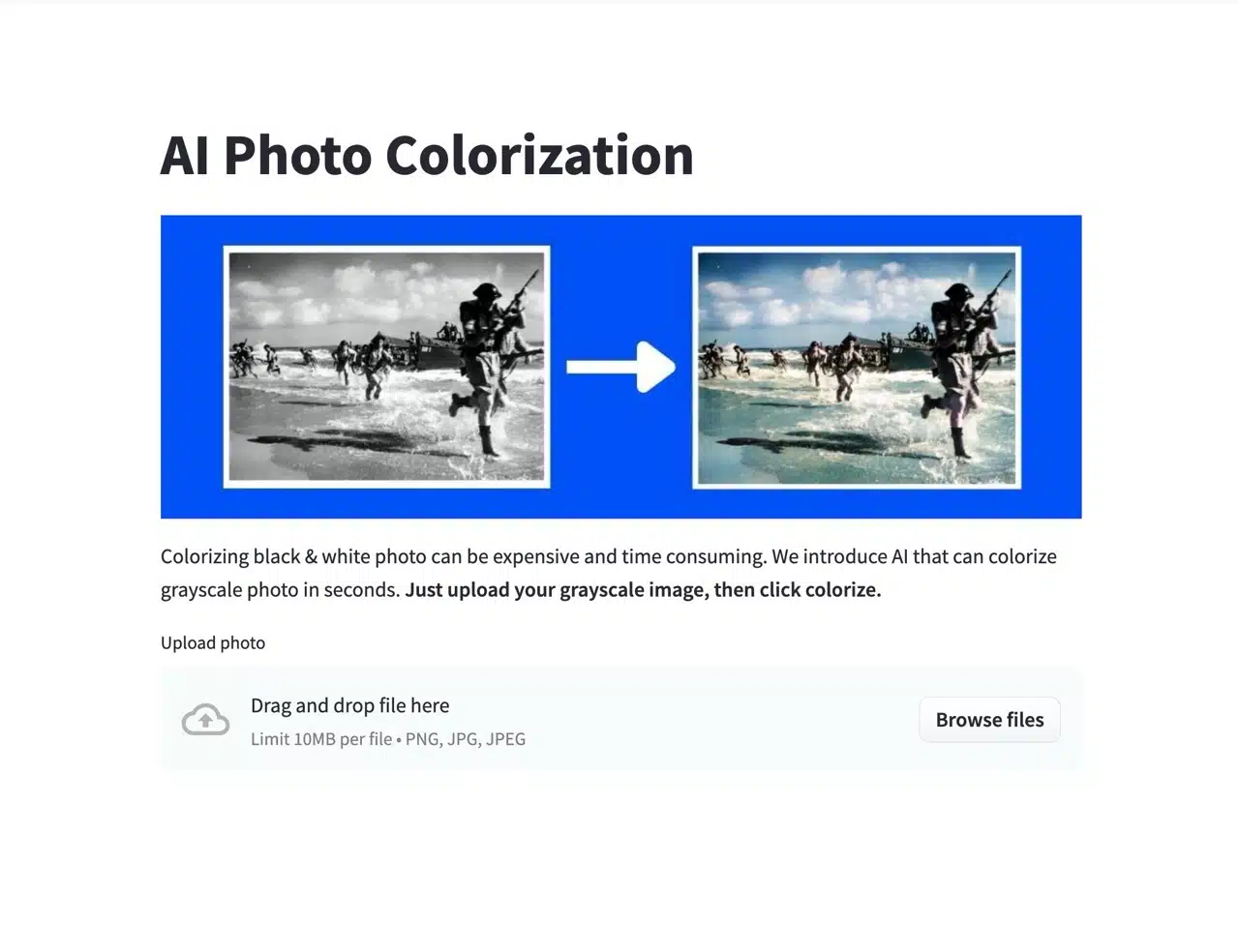
This article introduces “Photo Colorization,” an AI photo colorization tool. After users select an old photo, it automatically colorizes it into a vibrant image without any manual settings. It supports files up to 10 MB per image and common formats like PNG, JPG, and JPEG. There's no limit on the number of photos you can process.

After testing, we found Photo Colorization's results aren't as flawless as Kolorize's. If you need colorization, try this tool first. If it doesn't meet your needs, then use Kolorize. While Kolorize is a paid service, its pricing is reasonable. You can purchase credits in advance to process your images.

Usage Guide

STEP 1

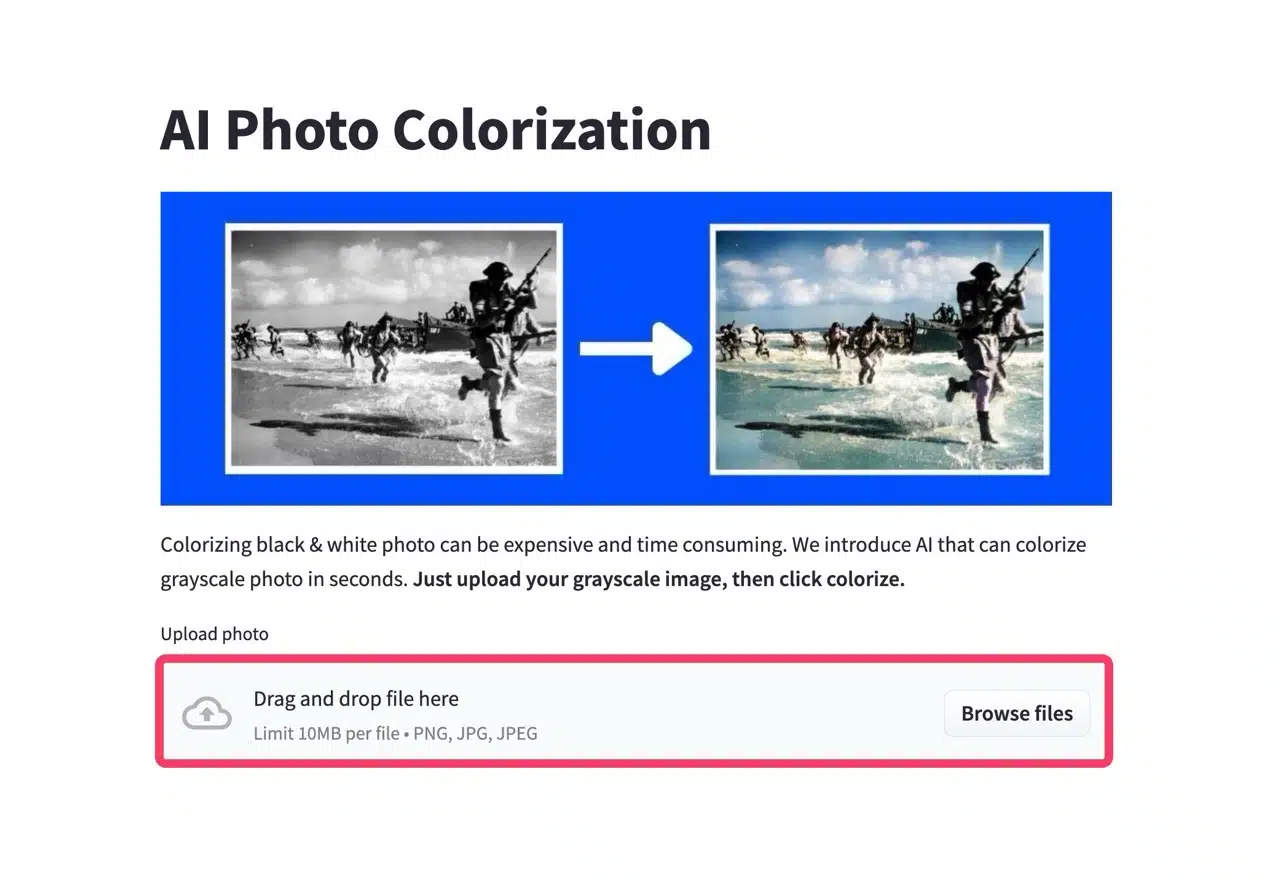
Open the AI Photo Colorization website and upload your photo via the “Upload Photo” function at the bottom. Click “Browse Files” to select a file or drag and drop the photo directly onto the site.
STEP 2

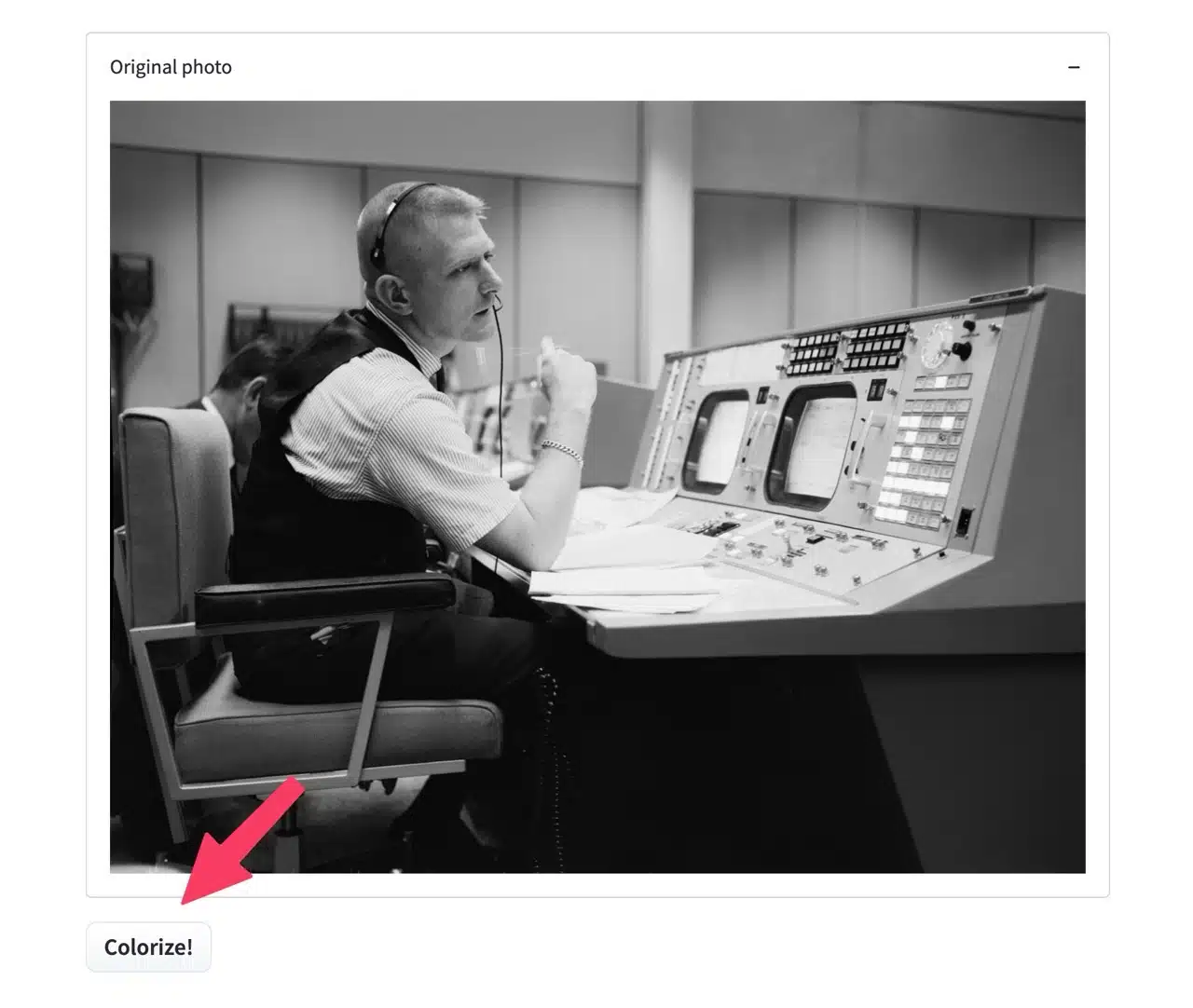
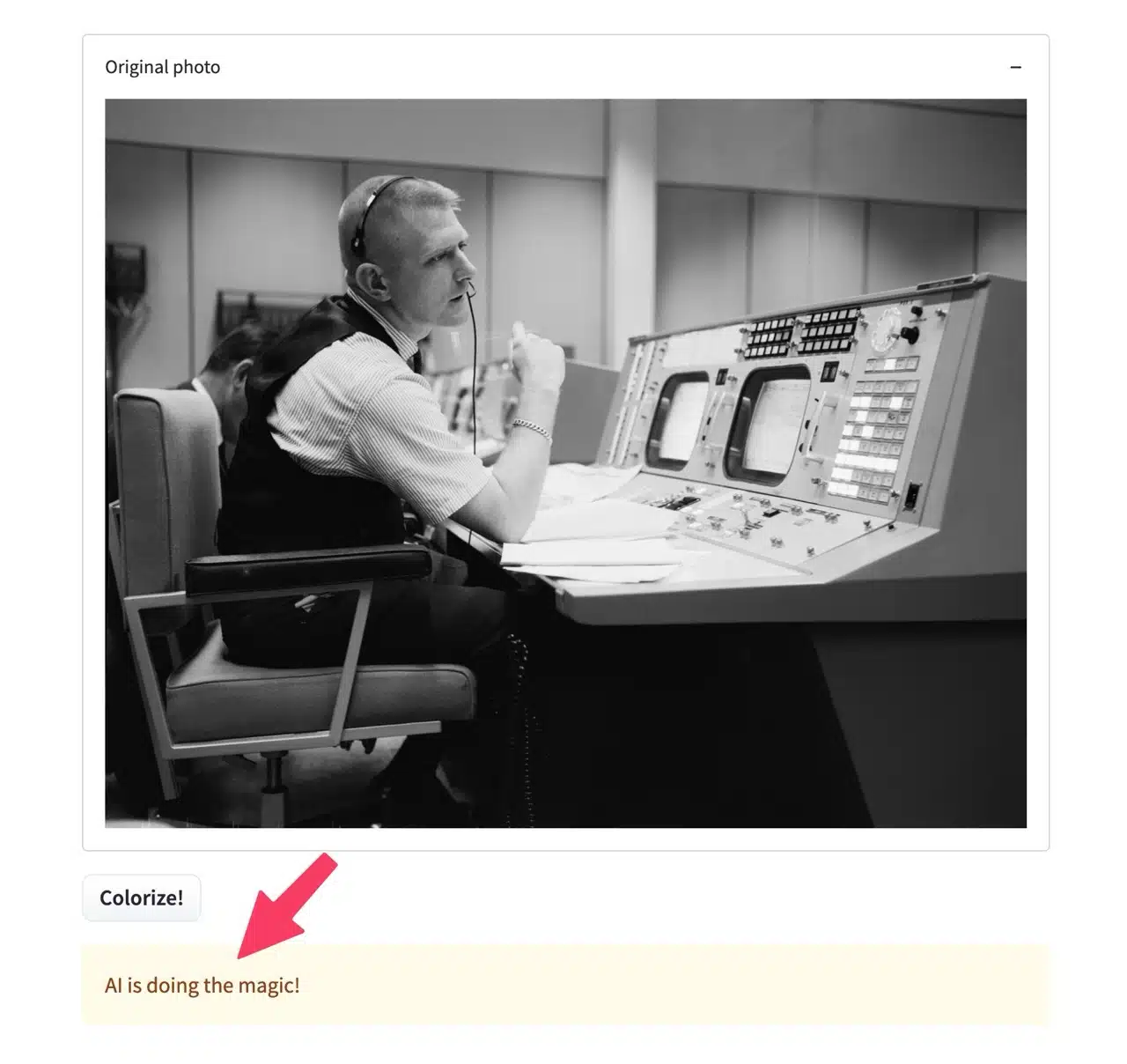
After uploading, the original photo will appear below. Notice the “Colorize!” button in the bottom-left corner. Clicking it will initiate automatic colorization. During processing, a “AI is doing the magic!” message will appear. Keep the webpage open until processing completes (takes about tens of seconds).
STEP 3

Once complete, your black-and-white photo will be automatically colorized and converted to a color image! Click the “Download Image” button in the bottom left corner to download the converted photo.

The effectiveness of such AI tools largely depends on the original photo. Some images yield excellent results, while others may not. If your test photo is correctly colorized, it's fine
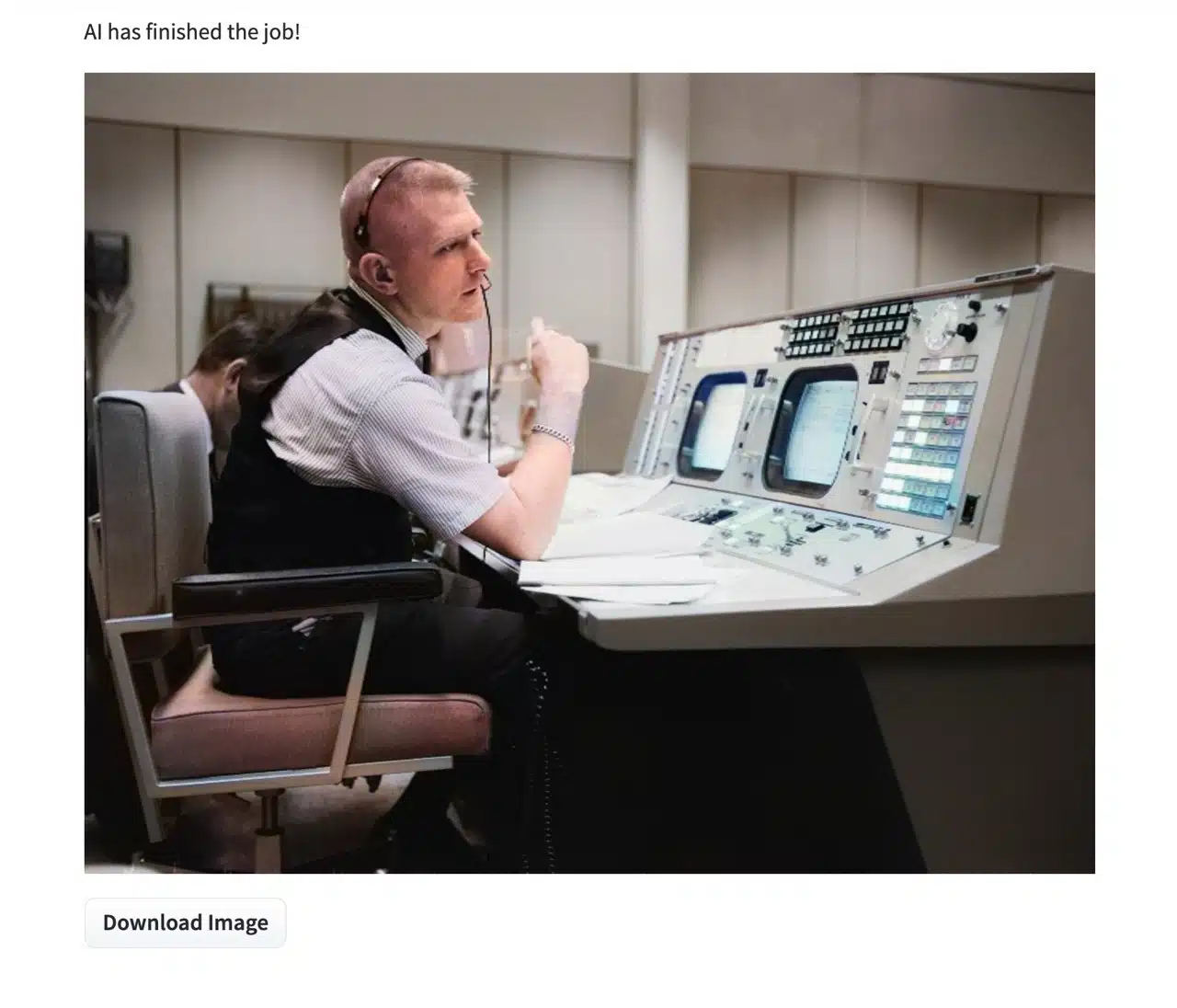
If unsatisfied, try other services. Since this relies on AI recognition and algorithms, there currently seem to be no adjustable settings.

Related Posts

PNG Maker: AI-powered rapid generation of transparent background PNG images. Customize designs for free commercial use.

Vocal Remover Oak: Online tool to separate vocals from music tracks and convert to instrumental MP3s, directly importable into YouTube videos.

BigJpg AI: Instantly enlarge images up to 16x! A free AI-powered image enhancement tool.

ColorMuse Free AI Image Editor: Supports Chinese Prompts, No Registration Required for Instant Generation

ICLight Relight: An AI-powered online photo lighting tool that effortlessly delivers professional-grade photo editing.

Text Remover Free AI Text Removal Tool: Quickly Remove Text from Images and Reconstruct the Background

ImageToPixel.Art: Free online pixel art tool for effortlessly creating retro pixel styles

Kaze.ai Automated AI Watermark Removal Tool: A Fast, Free Image Editing Solution

Removerized: Free AI Background Removal Tool for Images—Fast, Accurate, and Easy to Use

Pixel Art Generator: Recommended Free AI Pixel Art Generators

PNG Maker: AI-powered rapid generation of transparent background PNG images. Customize designs for free commercial use.
Vocal Remover Oak: Online tool to separate vocals from music tracks and convert to instrumental MP3s, directly importable into YouTube videos.
BigJpg AI: Instantly enlarge images up to 16x! A free AI-powered image enhancement tool.
ColorMuse Free AI Image Editor: Supports Chinese Prompts, No Registration Required for Instant Generation
ICLight Relight: An AI-powered online photo lighting tool that effortlessly delivers professional-grade photo editing.
Text Remover Free AI Text Removal Tool: Quickly Remove Text from Images and Reconstruct the Background
ImageToPixel.Art: Free online pixel art tool for effortlessly creating retro pixel styles
Kaze.ai Automated AI Watermark Removal Tool: A Fast, Free Image Editing Solution
Removerized: Free AI Background Removal Tool for Images—Fast, Accurate, and Easy to Use
Pixel Art Generator: Recommended Free AI Pixel Art Generators
bauns.top © 2025
  • Terms of Use
  • About Us
  • Privacy Policy