
• HOME
  • Image Generator
  • Photo Editing
  • Video
  • Text Generation
  • Assistant
  • Terms of Use
  • About Us
  • Privacy Policy

bauns.top bauns.top

  • HOME
  • Image Generator
  • Photo Editing
  • Video
  • Text Generation
  • Assistant
bauns.top bauns.top
AI Product Review » Photo Editing » RMBG Free Background Removal Tool: Quickly batch-remove backgrounds with support for multiple AI models and privacy protection.
Photo Editing

RMBG Free Background Removal Tool: Quickly batch-remove backgrounds with support for multiple AI models and privacy protection.

RMBG Free Background Removal Tool: Quickly batch-remove backgrounds with support for multiple AI models and privacy protection.

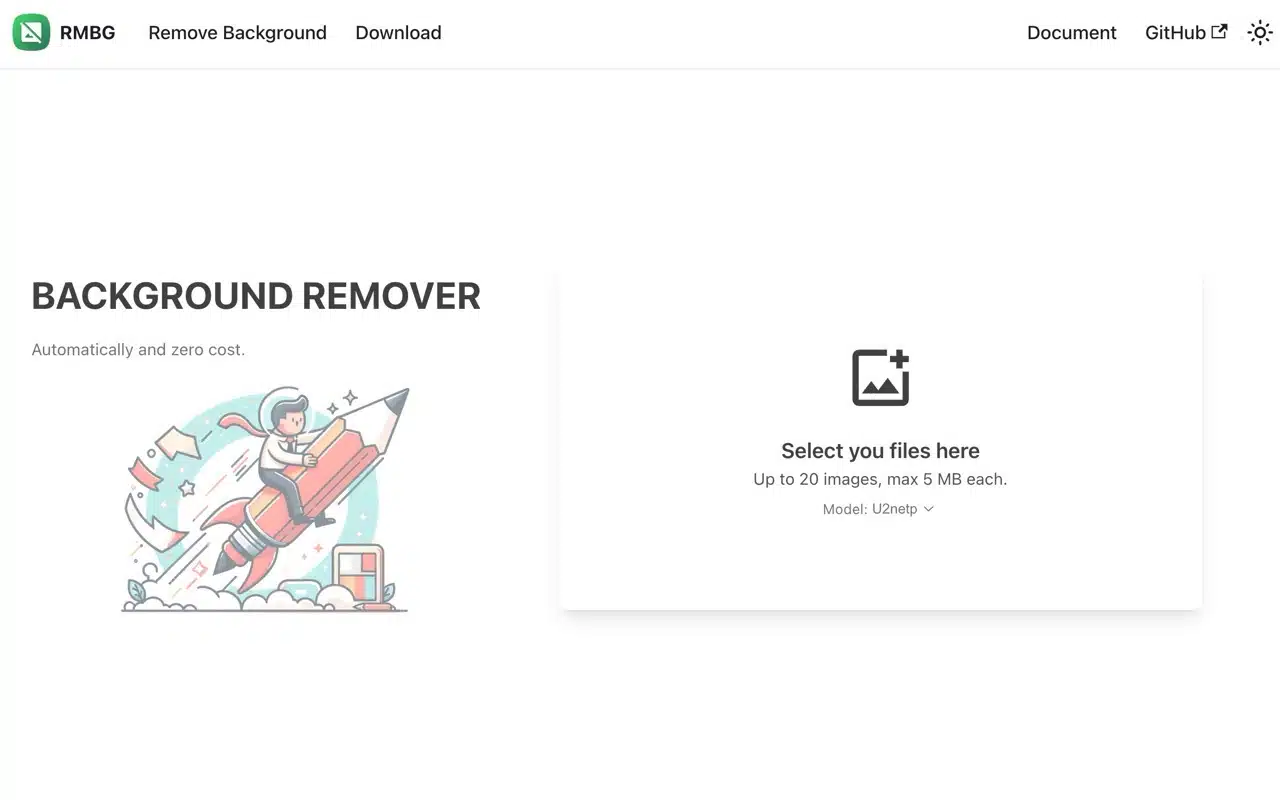
RMBG is a free online image background removal (image masking) application available across multiple platforms. It incorporates various open-source AI models (RMBG itself is also open-source) to assist users in automatically removing backgrounds without requiring any configuration or account registration. This service supports batch processing of up to 20 images at a time, with each image not exceeding 5 MB. APP Recommendations

RMBG can be used directly in a browser or downloaded as an application for Windows, macOS, and Linux. Its standout feature is privacy and data security: the background removal process runs solely on the user's device, and images are never uploaded to third-party servers.

The Free Resources Network Community has compiled a handy guide titled “Online Background Removal Tools: 39 Free Online Tools Recommended with Tutorials.” If you find RMBG unable to correctly remove backgrounds from your images, besides switching to different AI models, you may also consider trying other services.

User Guide

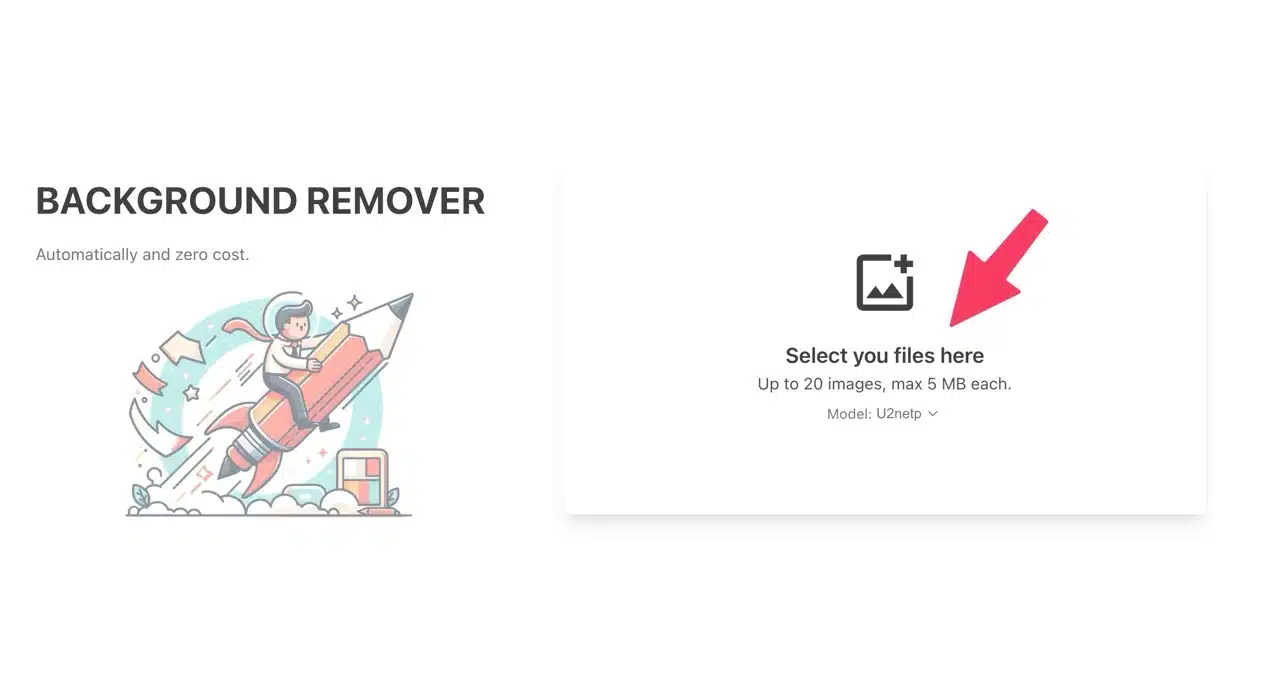
After launching RMBG, click “Select your files here” on the right to choose the images you want to remove backgrounds from (or simply drag and drop them). You can process up to 20 images at a time, with each file not exceeding 5 MB. Background removal will be handled automatically with no customization options available.
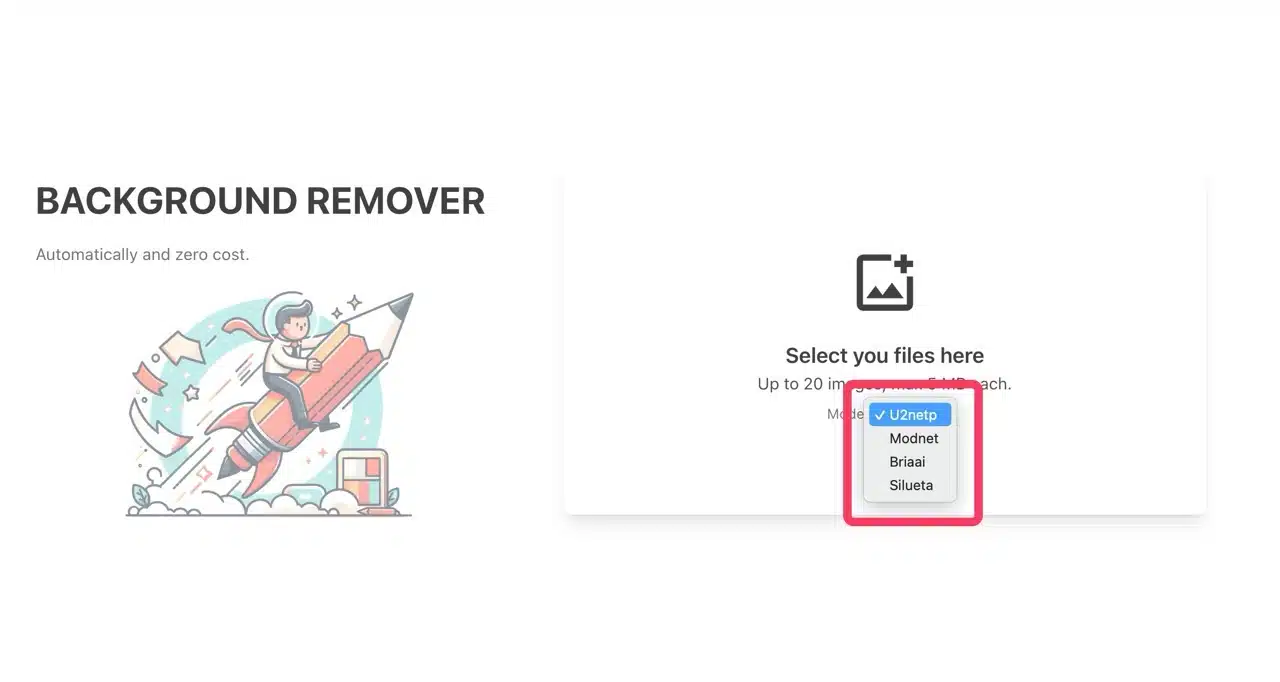
Switch between different AI models under “Model,” such as U2netp, Modnet, Briaai, and Silueta. If the default model doesn't provide satisfactory background removal, try selecting a different model—each excels at processing different types of content.    
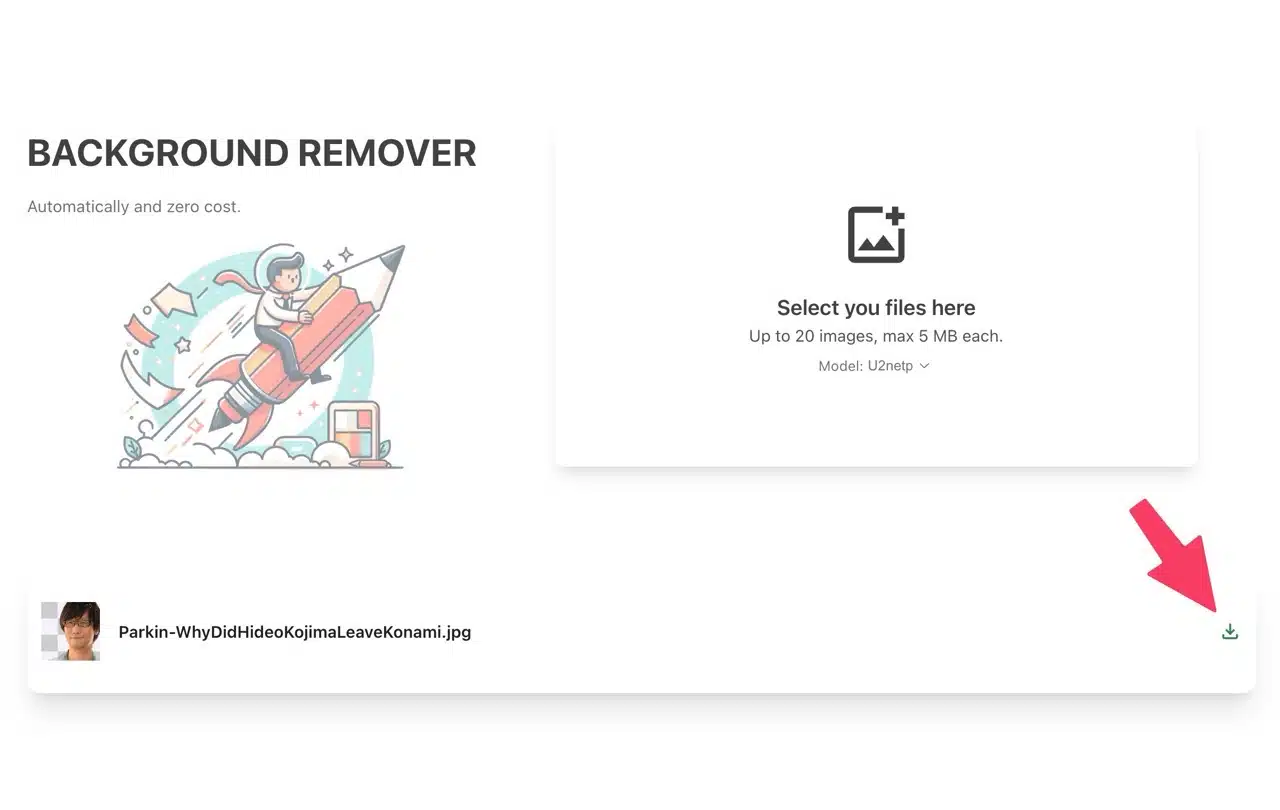
RMBG processes backgrounds extremely quickly. Completed images appear below. Click the “Download” button on the far right to save the background-removed image.
Three reasons it's worth trying:

Completely free and open-source! No registration or payment required. The open-source nature ensures secure usage.

The background removal process runs entirely locally. Images are never leaked or uploaded to third-party servers.

Supports multiple AI models, processing up to 20 images per session.

Related Posts

Vocal Remover Oak: Online tool to separate vocals from music tracks and convert to instrumental MP3s, directly importable into YouTube videos.

Remove.photos: Fully automated AI online background removal tool—done in three seconds.

RMBG Free Background Removal Tool: Quickly batch-remove backgrounds with support for multiple AI models and privacy protection.

Removerized: Free AI Background Removal Tool for Images—Fast, Accurate, and Easy to Use

Nero AI Online Lossless Image Upscaling: Free AI Enhancement Tool to Instantly Boost Photo Resolution

ImgUpscaler Free AI Image Upscaling Tool: Easily Enhance Resolution and Detail

LightPDF AI Watermark Removal: Free Online Tool to Remove PDF and Image Watermarks with One Click

0v0.ai: Free lossless image enlargement and background removal tool—fully automated with just one upload.

ColorMuse Free AI Image Editor: Supports Chinese Prompts, No Registration Required for Instant Generation

BigJpg AI: Instantly enlarge images up to 16x! A free AI-powered image enhancement tool.

Vocal Remover Oak: Online tool to separate vocals from music tracks and convert to instrumental MP3s, directly importable into YouTube videos.
Remove.photos: Fully automated AI online background removal tool—done in three seconds.
RMBG Free Background Removal Tool: Quickly batch-remove backgrounds with support for multiple AI models and privacy protection.
Removerized: Free AI Background Removal Tool for Images—Fast, Accurate, and Easy to Use
Nero AI Online Lossless Image Upscaling: Free AI Enhancement Tool to Instantly Boost Photo Resolution
ImgUpscaler Free AI Image Upscaling Tool: Easily Enhance Resolution and Detail
LightPDF AI Watermark Removal: Free Online Tool to Remove PDF and Image Watermarks with One Click
0v0.ai: Free lossless image enlargement and background removal tool—fully automated with just one upload.
ColorMuse Free AI Image Editor: Supports Chinese Prompts, No Registration Required for Instant Generation
BigJpg AI: Instantly enlarge images up to 16x! A free AI-powered image enhancement tool.
bauns.top © 2025
  • Terms of Use
  • About Us
  • Privacy Policy