Google launched its new AI model Gemini 2.5 on March 26, featuring enhanced reasoning capabilities, multimodal processing, and outstanding performance in math and science testing. Originally available only to Gemini Advanced subscribers, Google released the Gemini 2.5 Pro (experimental) model for free public access following the global buzz sparked by ChatGPT's GPT-4.5 and its Ghibli-style image generator.
As a freeloader, I'll definitely make the most of every AI tool without paying. Free services are definitely worth grabbing. Using the free Google Gemini 2.5 Pro can handle many tasks, and paired with GPT-4o, it should be quite sufficient. Overall, I still prefer ChatGPT's performance, but since it's free, I'll spend some time exploring it myself!
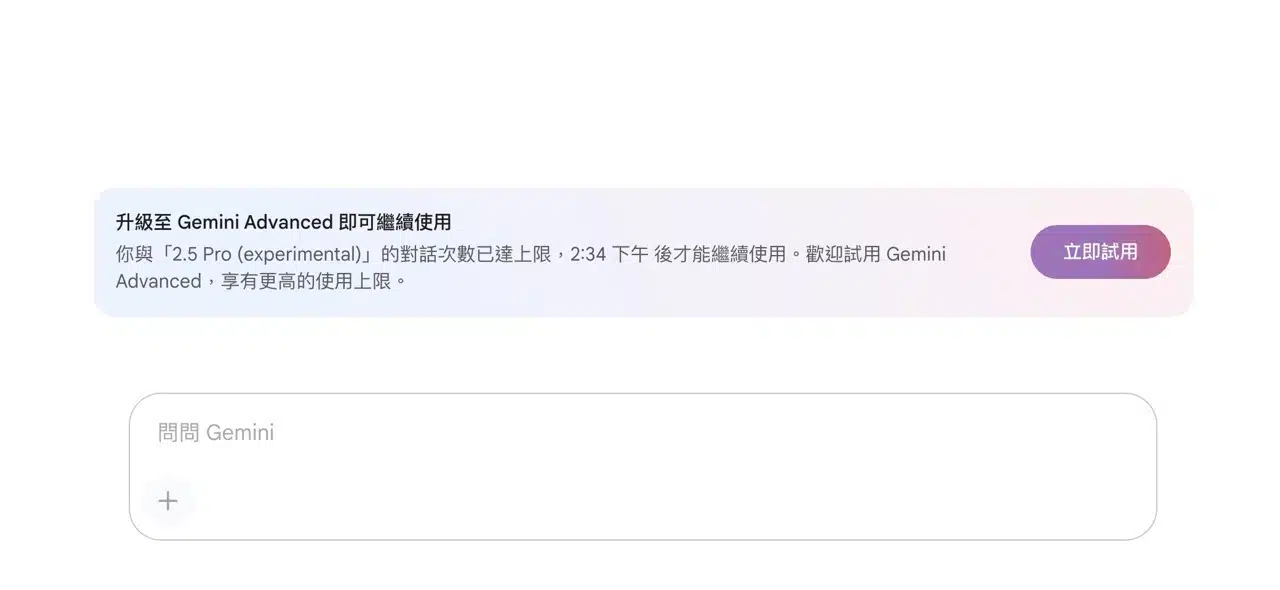
Google announced on March 30 that all users can now access the Gemini 2.5 (experimental) model for free. However, usage limits differ between the free and paid plans. The free version reaches its usage cap easily. When the usage limit is reached, a prompt will appear, requiring users to wait for a reset period before continuing. During this time, users can switch to Gemini 2.0 for related tasks, as this model has more generous usage restrictions.
It is foreseeable that the cost of AI will continue to decrease in the future. As major service providers intensify their competition, users will ultimately benefit by gaining access to powerful AI tools at more affordable prices.
Switch to the Gemini 2.5 Pro AI Model
After launching the Gemini AI tool, log in with your Google account. Then select the model from the top-left corner to find “2.5 Pro (Experimental)”, described as highly suitable for handling complex tasks.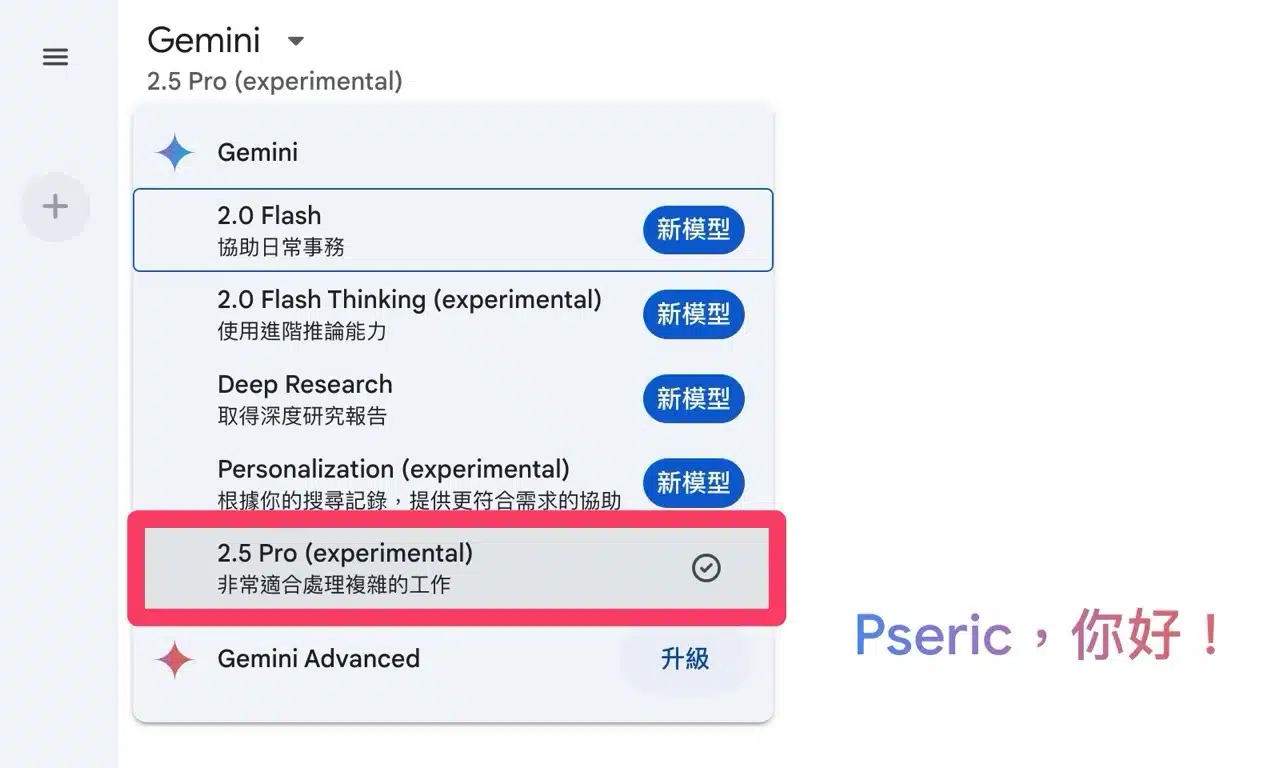
Next, let's test Gemini 2.5 Pro by having it write a piece of code. Of course, this example is very simple—even using version 2.0 should yield an instant answer. I didn't test more complex functions, but interested users can try it out and compare the differences with ChatGPT or other AI tools. 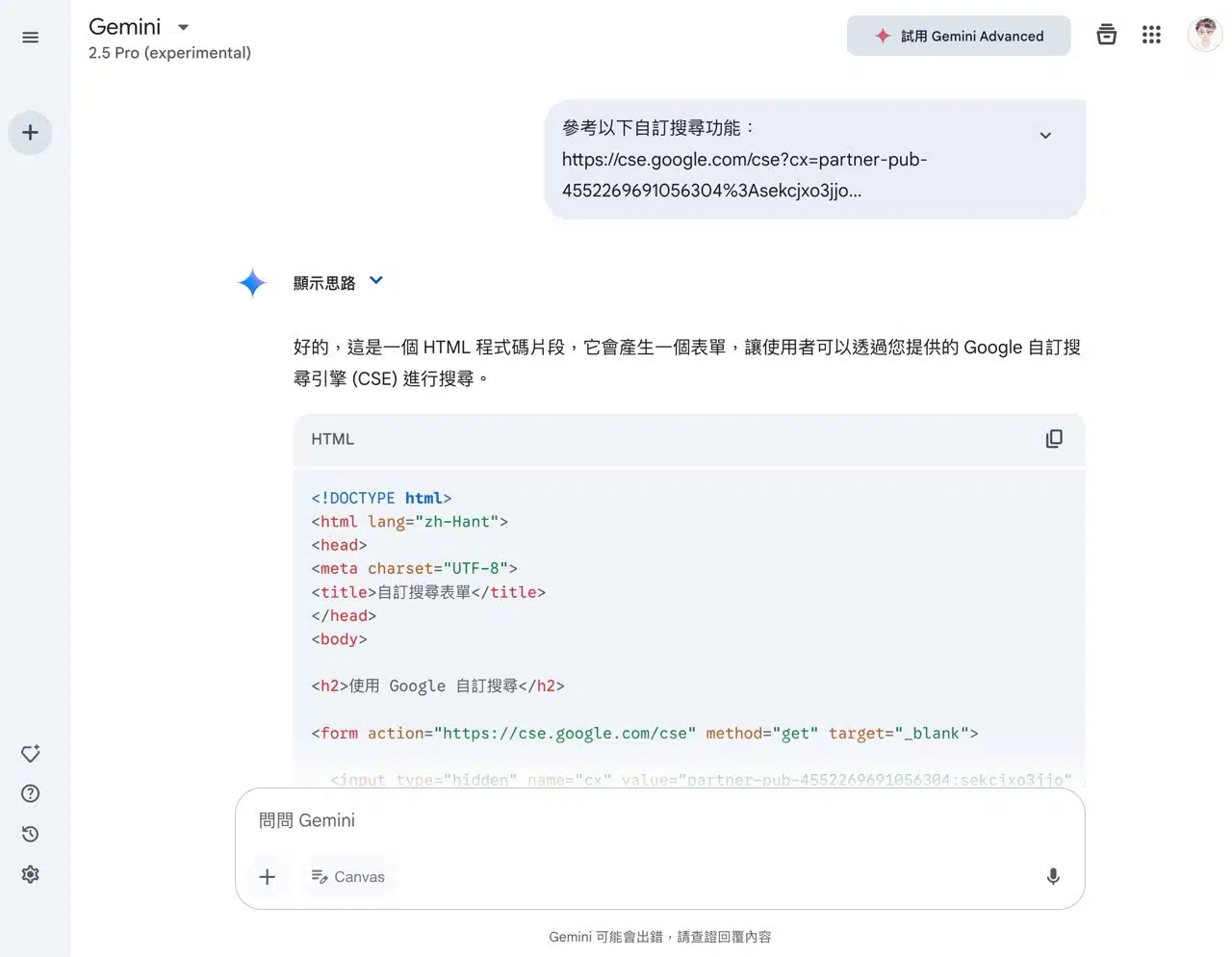 Google provides very limited usage credits for Gemini 2.5 Pro to free users. After just a few uses, you'll see a message stating you've reached your usage limit. At this point, the chatbox below becomes unresponsive and you cannot input anything. To continue using it, you must upgrade to Gemini Advanced (or switch to Gemini 2.0 or another model from the top-left corner).