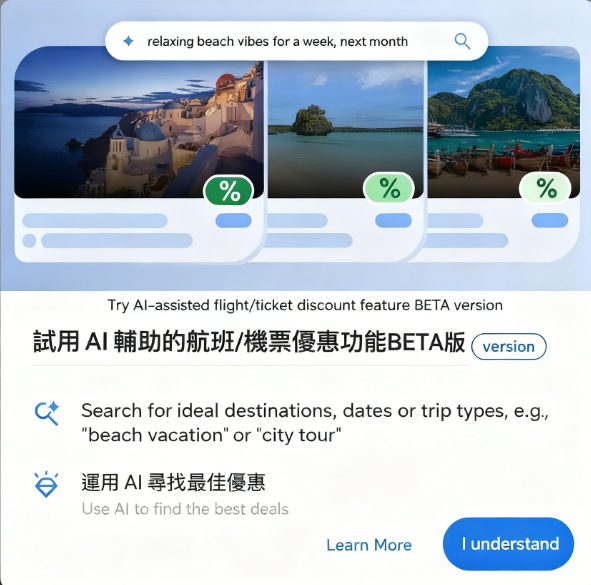
In the past, searching for cheap flights or comparing ticket prices typically involved using Skyscanner or travel agency websites. Google Flights also provides price information for specific flights, helping users save money and track fare changes for their desired routes. The “Price Alert” feature allows users to receive the latest price updates via email. Great Value Vacation Packages
However, when searching for flights, a common issue arises: users often spend significant time switching between platforms to adjust dates, filter criteria, and compare routes. Prices found across platforms may vary, and available seats aren't always guaranteed.
Google Flights Deals Launches: AI-Powered Flight Deal Service
Google Flights Deals has officially launched in Taiwan! Previously available only to users in Canada, India, and the United States, it has now expanded to more countries worldwide. Google Flights Deals integrates AI tools to identify great-value flight deals tailored to user needs. The service remains in beta and does not yet support all search types (such as multi-city itineraries), but it proves remarkably convenient for everyday use.
Google Flights Deals' standout feature is its AI's ability to understand users' travel intent and natural language. Simply describe your itinerary in your own conversational style to receive tailored flight deals—no need for repeated clicks or switching between pages. Compared to traditional flight search and comparison methods, this approach is more intuitive and user-friendly.
According to the description, Google Flights Deals currently draws from a database of over 300 partners. If you're searching for cheap flights, it's definitely worth utilizing.
How to Use Google Flights Deals to Find Great Flight Deals
1. Launch the service and try the AI-assisted feature
Visit the Google Flights Deals website to access the AI-powered flight/ticket deals feature. Simply enter your travel type and description to let AI help find the best deals.
2. Describe your trip using natural language in the AI search field
Simply describe your trip type in the AI search field at the top of the Google Flights Deals homepage. You can also add specific dates, destinations, and trip duration. A great feature is that it accurately recognizes your input using natural language.
The search results display destination cities, features, dates/times, and flight details. Notably, some itineraries are marked with “Cheaper than usual” alongside a discount percentage, indicating that flights during this period are more affordable than average prices!
3. Set Flexible Time Range to Find Cheapest Destinations
If your schedule is flexible, set a time range to discover the most affordable travel destinations.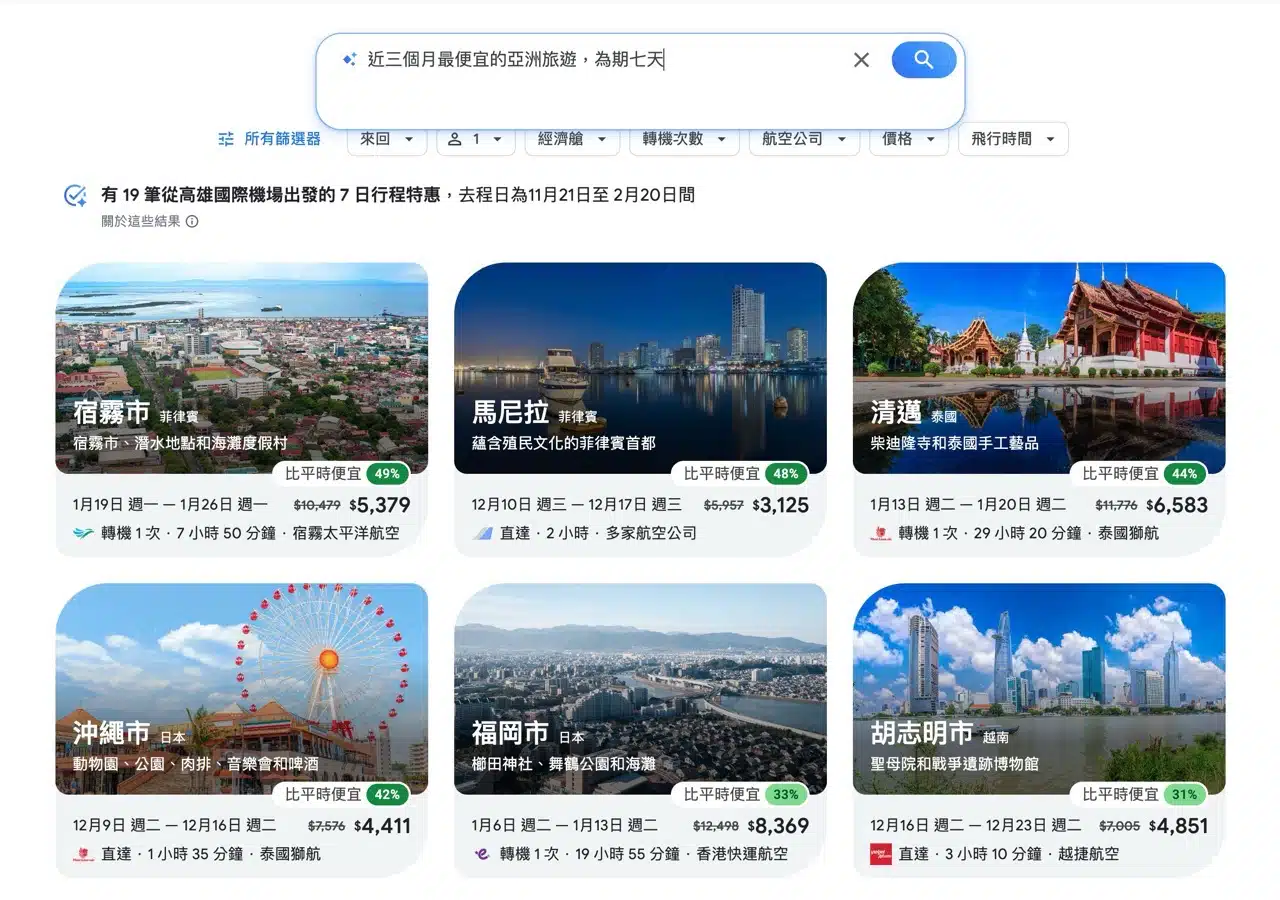
4. Use Filters to Refine Search Criteria
After searching, use the “Filters” above to adjust various conditions: ticket type, number of passengers, cabin class, number of layovers, airline, price, and flight duration.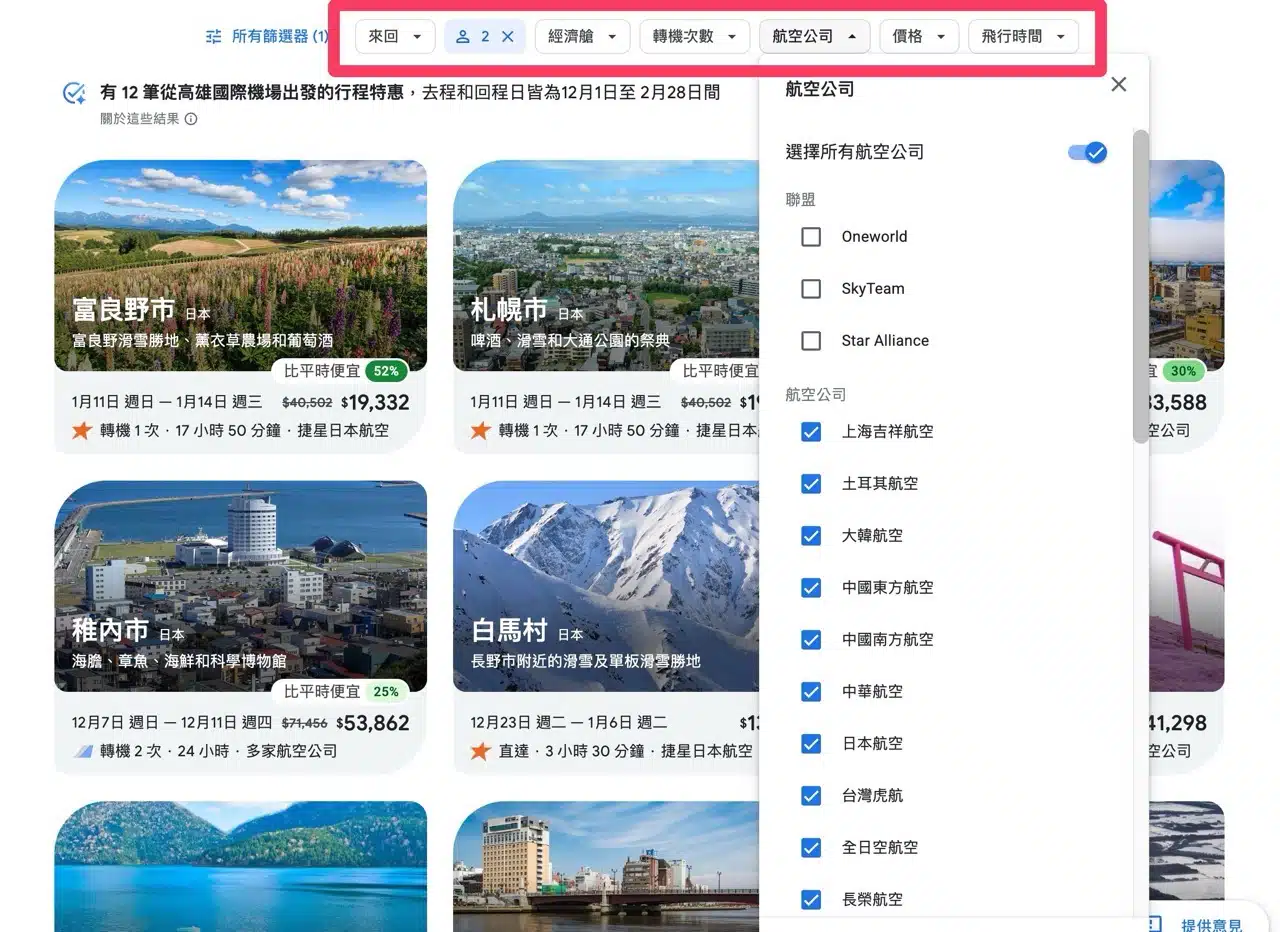
5. Review flight details and price trend tools
After clicking into an itinerary, you'll see ticket information for each segment. The top-listed popular flights are typically the lowest priced (especially those marked green). You can view the airline, departure/arrival times, flight duration, number of layovers, and fare. You can also switch to display the lowest price.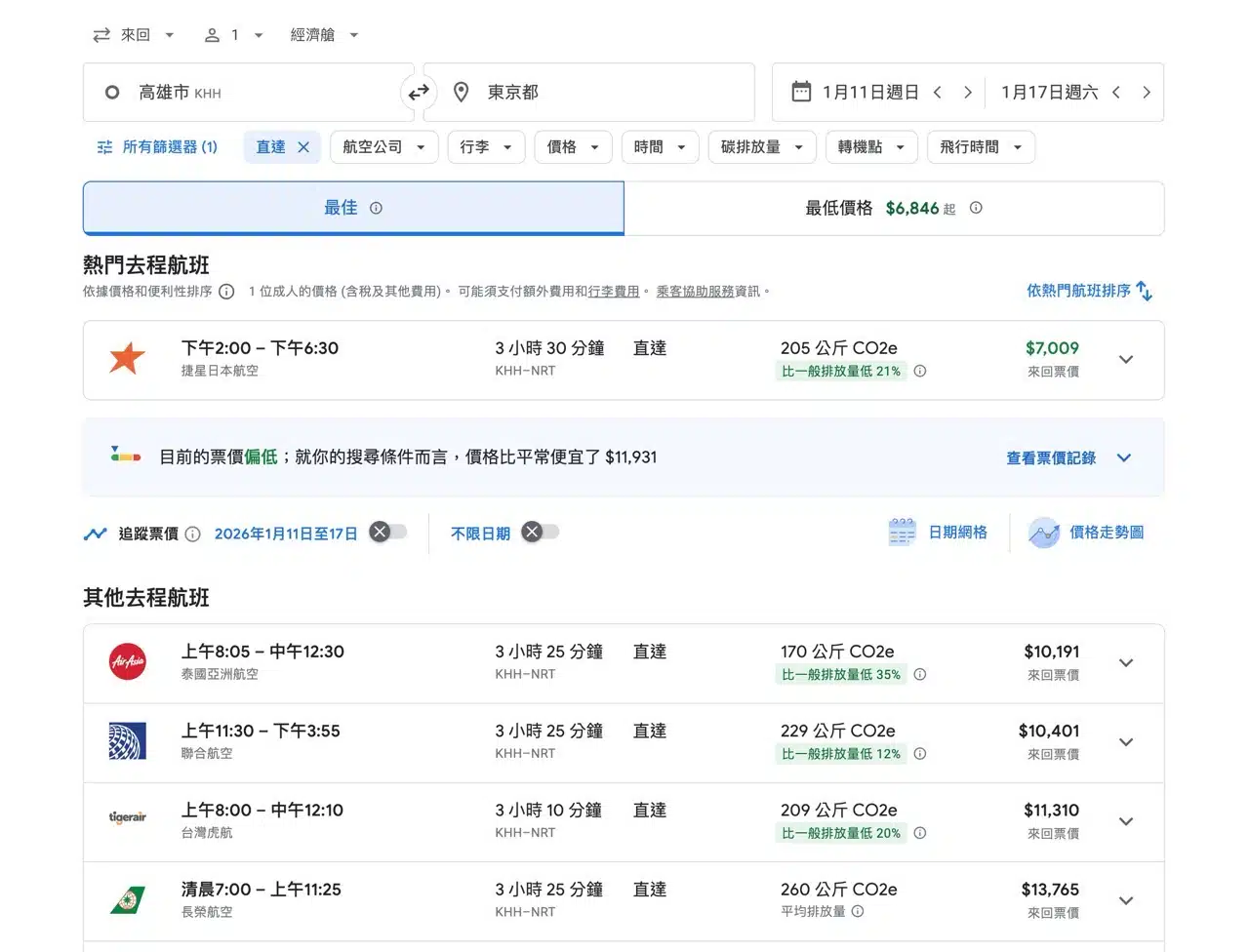
Google Flights' date grid and price trend chart are indispensable. The grid displays optimal round-trip dates, while the price trend chart clearly shows the lowest fares available for that route.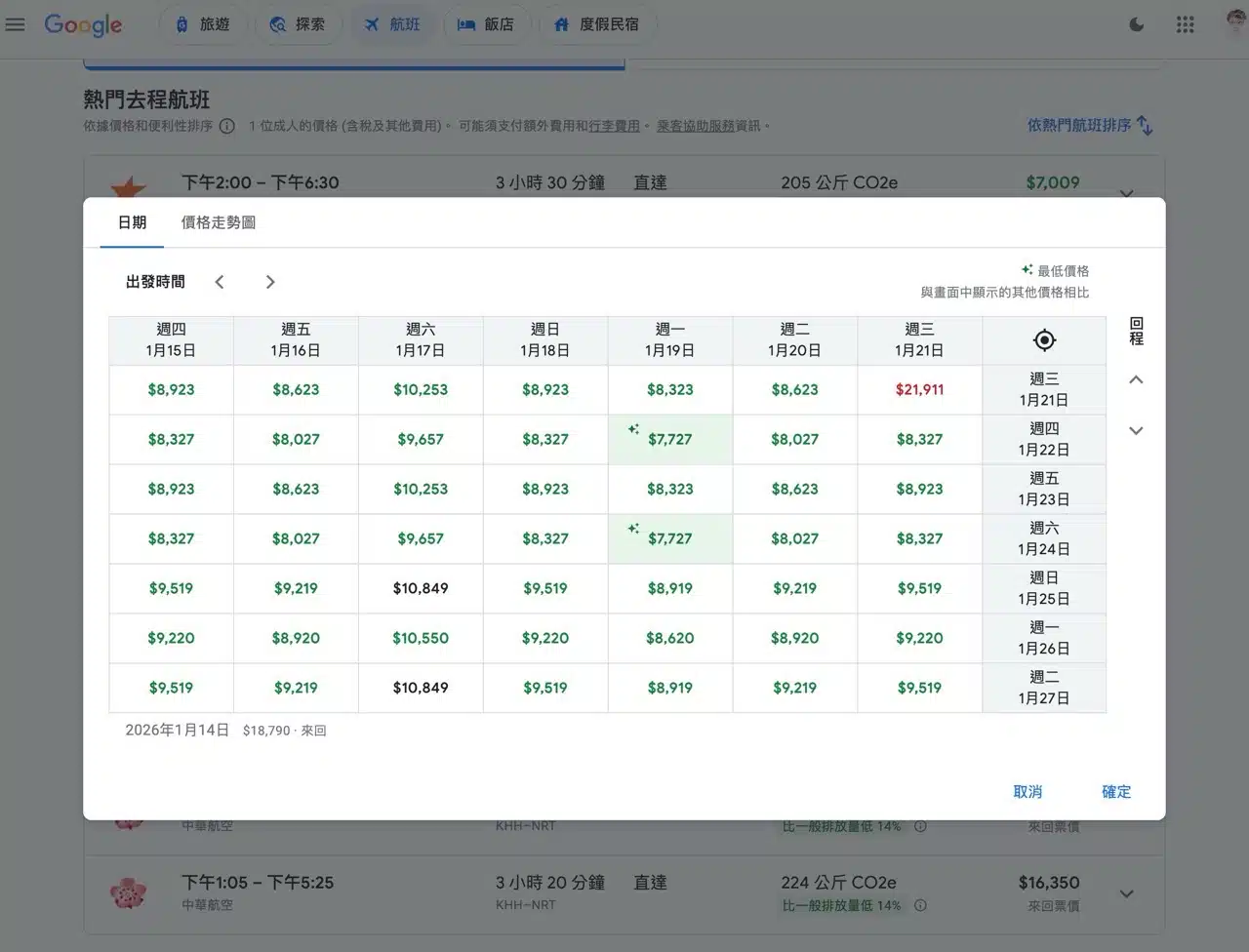
6. Confirm booking options and proceed to booking platform
Clicking the button on the far right of a flight reveals additional details, including departure airport, arrival airport, itinerary, and duration. If a round-trip fare is marked in green, it indicates a lower price point and is a viable ticket option to consider.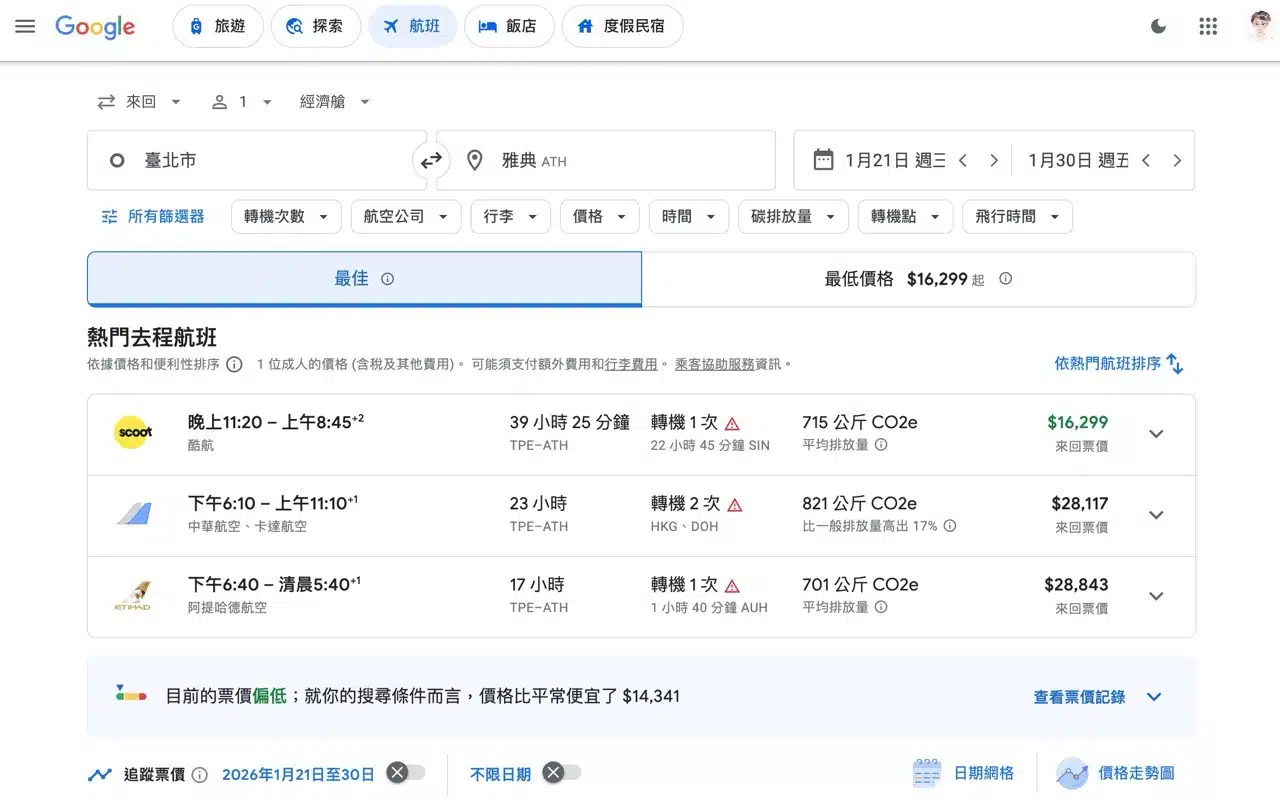
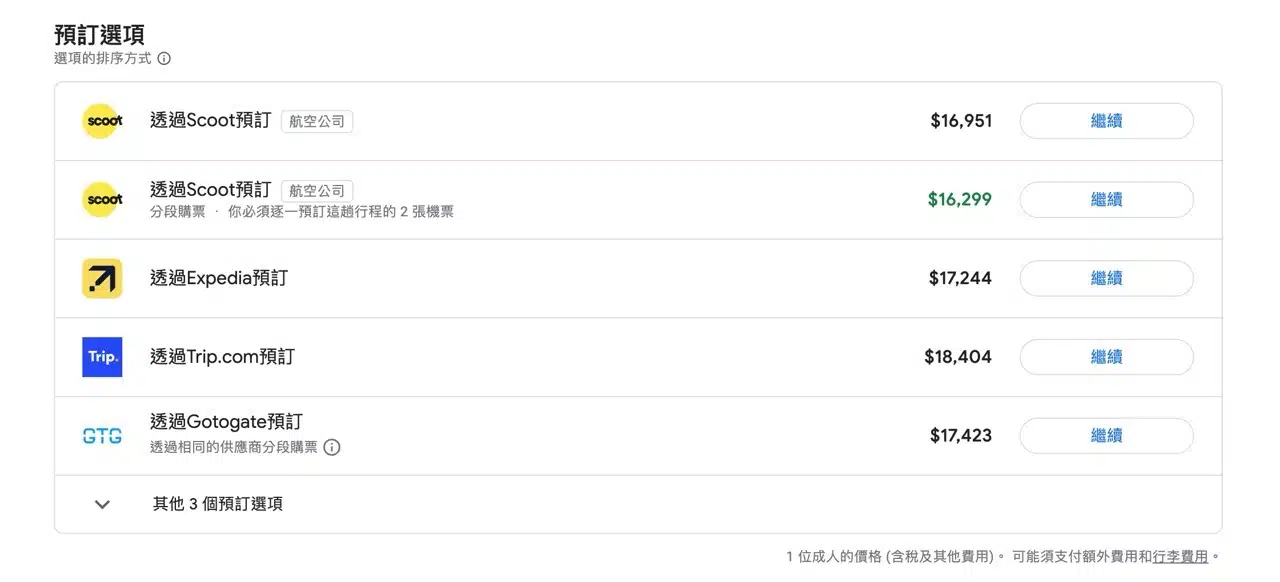
After selecting a flight, “Booking Options” appear below. Google Flight Deals itself does not offer booking services, but you can proceed to purchase tickets through the booking methods listed on the page. This sorting is based on factors like price, link quality, and partner type. Typically, the first booking option listed is the airline's official website.
Keep in mind that the displayed price isn't necessarily the final cost. Additional fees, baggage charges, or seat availability may apply. Always double-check all details before finalizing your booking!