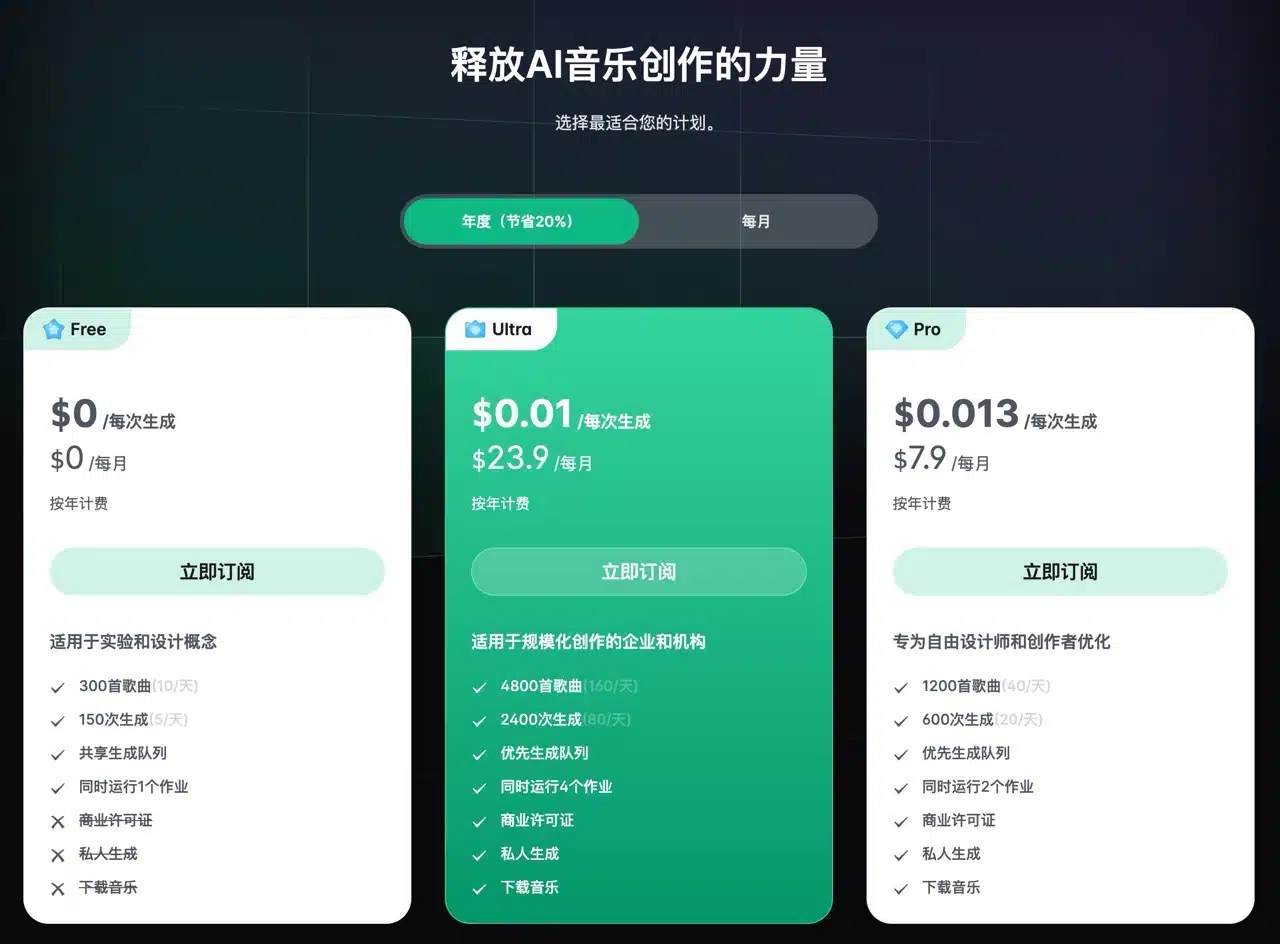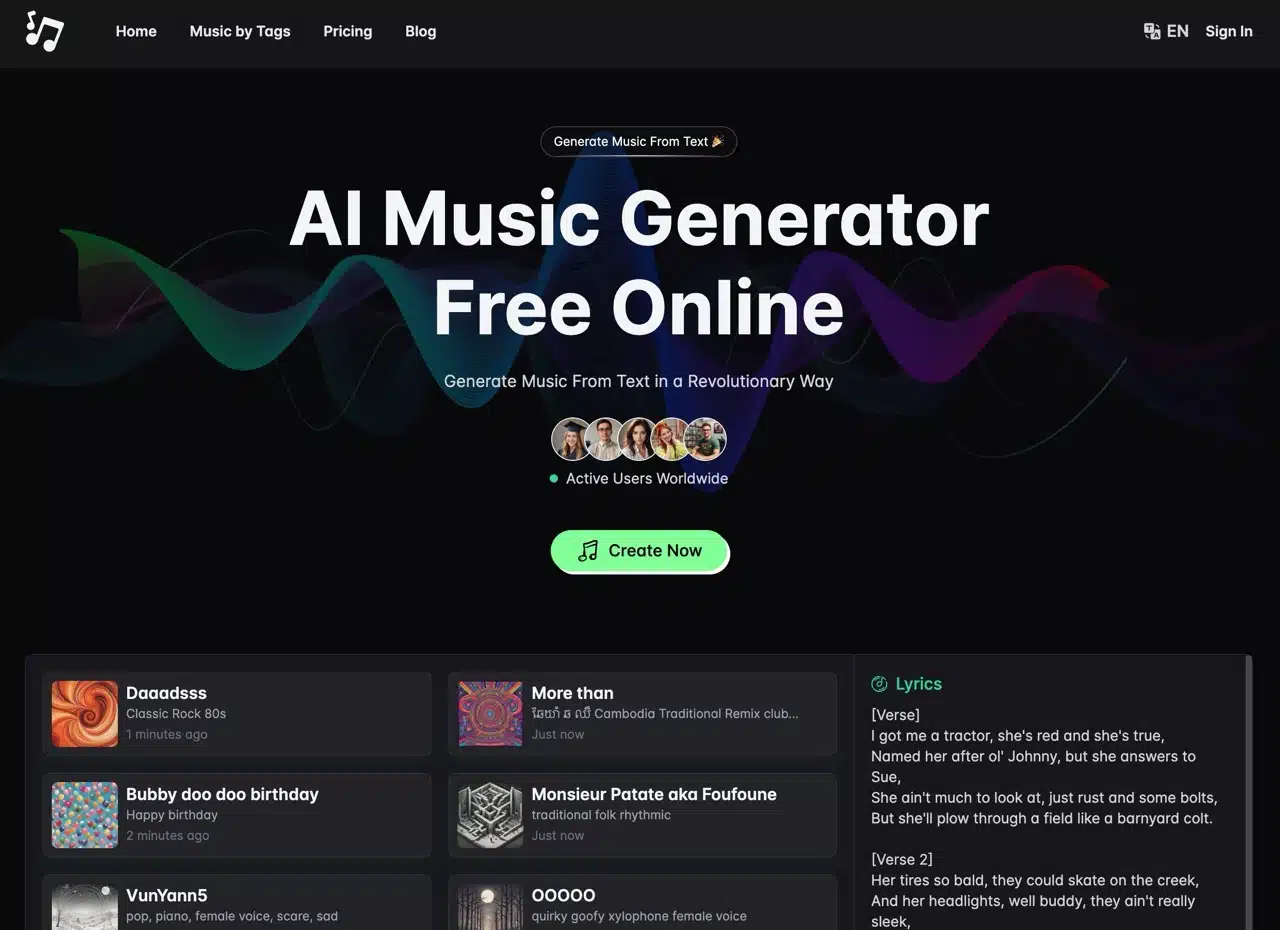
AIMusic.so is a free online AI music composer that quickly creates all kinds of amazing music based on text descriptions! Before getting started, users should note that the free plan of AIMusic “does not allow music downloads,” which may cause some inconvenience. However, generating simple music pieces isn't heavily restricted—there's only a daily limit of 10 songs and 5 generation attempts. This is sufficient for testing the AI music generation platform's features. Upgrading to a paid plan enables music downloads and grants commercial use licensing.
Powered by the Suno V3 API, AIMusic.so enables music enthusiasts, content creators, or anyone needing music to generate tracks using artificial intelligence—all without copyright concerns. Previously, most relied on free music and sound effect websites for materials, but these were limited by platform resources and licensing. Generating your own music avoids duplication and ensures perfect integration into any usage scenario.
This service features a multilingual interface, including Simplified Chinese, and is relatively easy to use. Before generating music, a customization mode allows adding lyrics, setting musical styles, or specifying song titles. Of course, generating pure instrumental accompaniment is also no problem! I've previously introduced other AI music generator services, such as:
Mubert Render: Quickly generates free MP3 music assets using AI
PopPop AI: A free AI sound generator that transforms descriptions into audio effects
Google MusicFX: Generate 30-second AI music from text descriptions
Stable Audio: Create free AI music up to 45 seconds long (non-commercial use only)
Tutorial
STEP 1
After opening AIMusic, switch the language in the top-right corner and select “zh-CN” to set it to Simplified Chinese.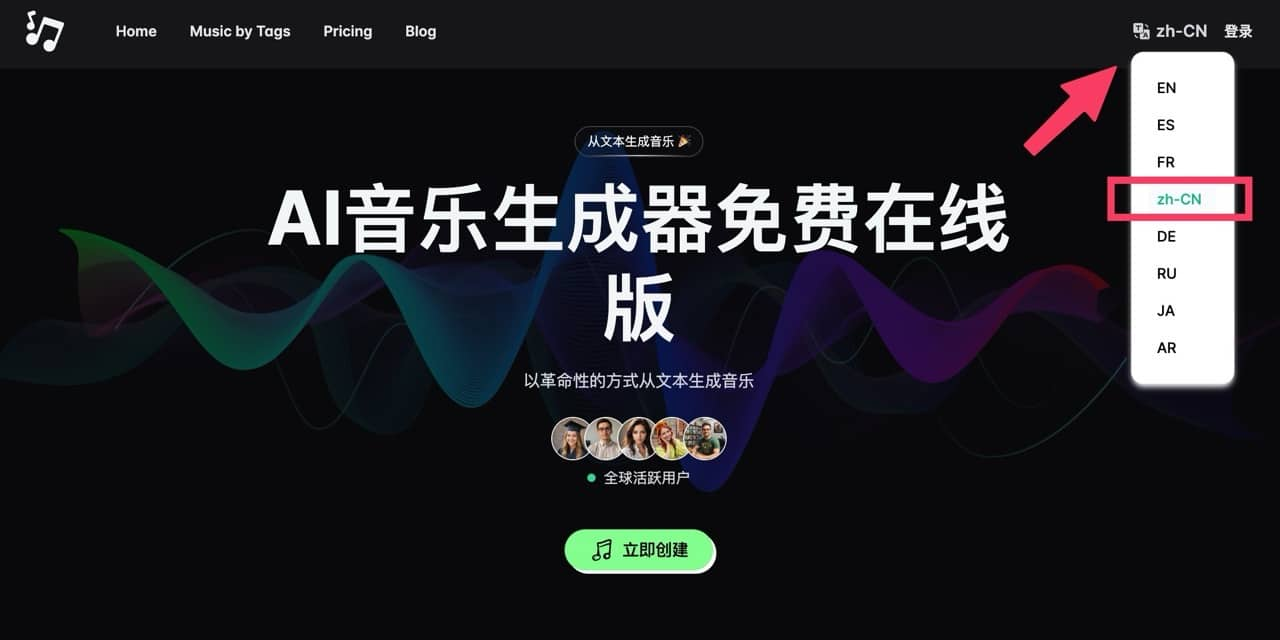
STEP 2
Click “Create Now” on the homepage to enter the AIMusic generator. The left panel contains main generation options. Enter the desired music style and theme in the “Song Description” field for AI-generated music. You can also check “Instrumental Only” to generate accompaniment without vocals. Portable Speaker
Selecting “Custom Mode” reveals more comprehensive options, such as writing your own lyrics, specifying music genres, or entering song titles.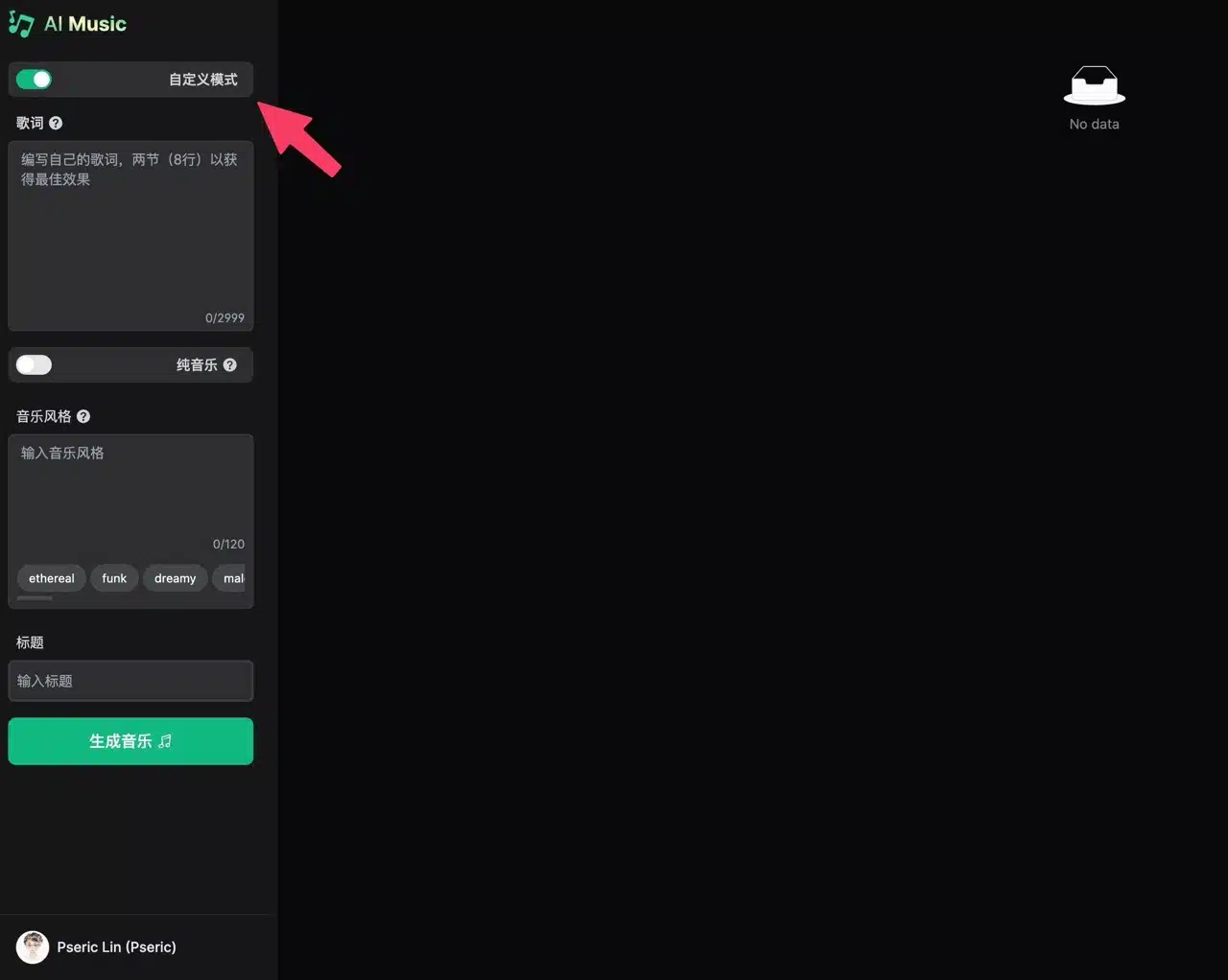
STEP 3
Enter your song description (prompt) and click “Generate Music.” The AI will begin creating suitable content. Remember to check the “Instrumental Only” option if you need pure accompaniment music without lyrics.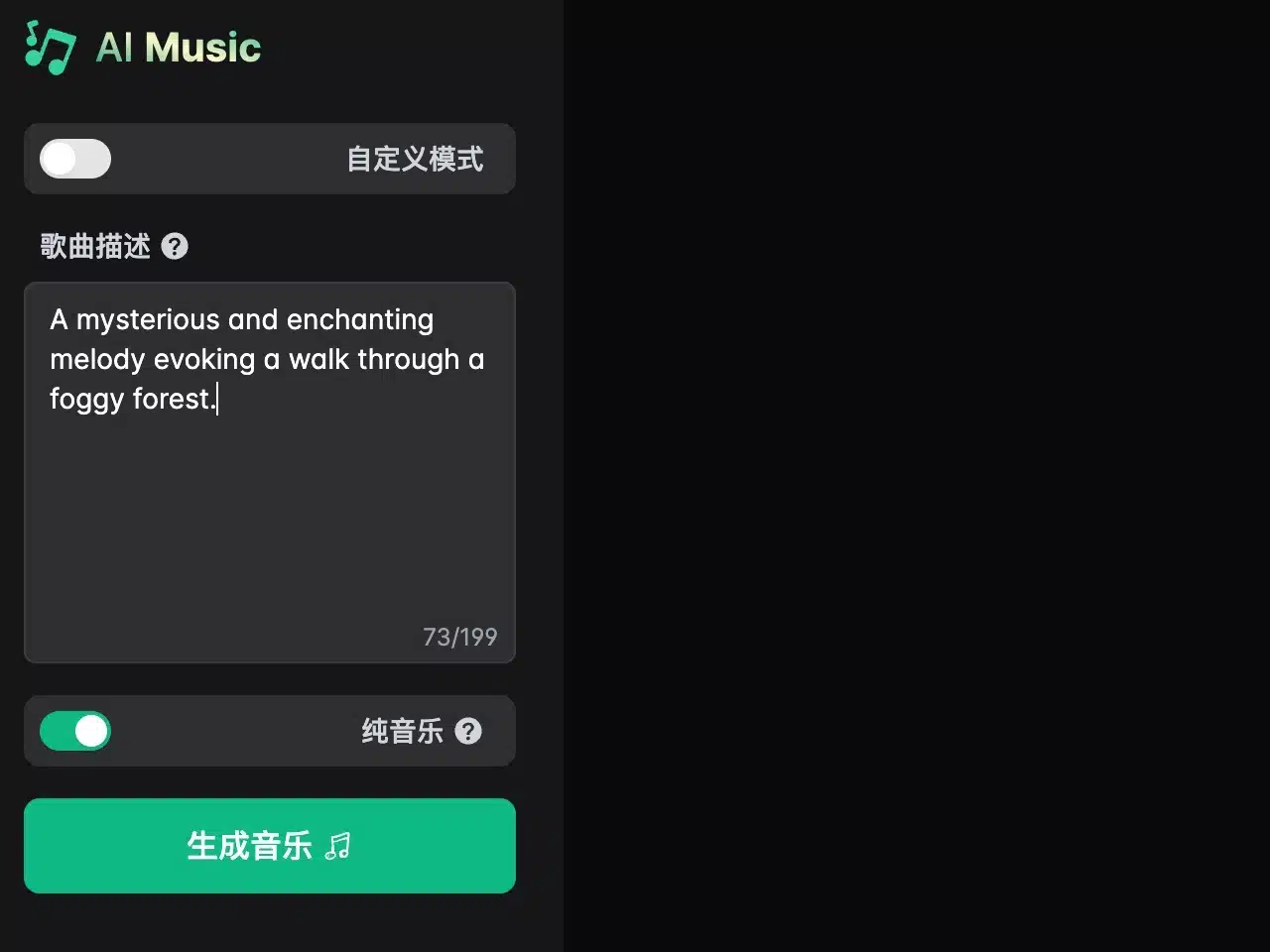
STEP 4
Generating music takes a moment, and it includes a song title and cover art—pretty awesome! Once ready, preview it using the player below with fast-forward and rewind controls. However, wait until the entire process completes before performing additional actions. Portable Speaker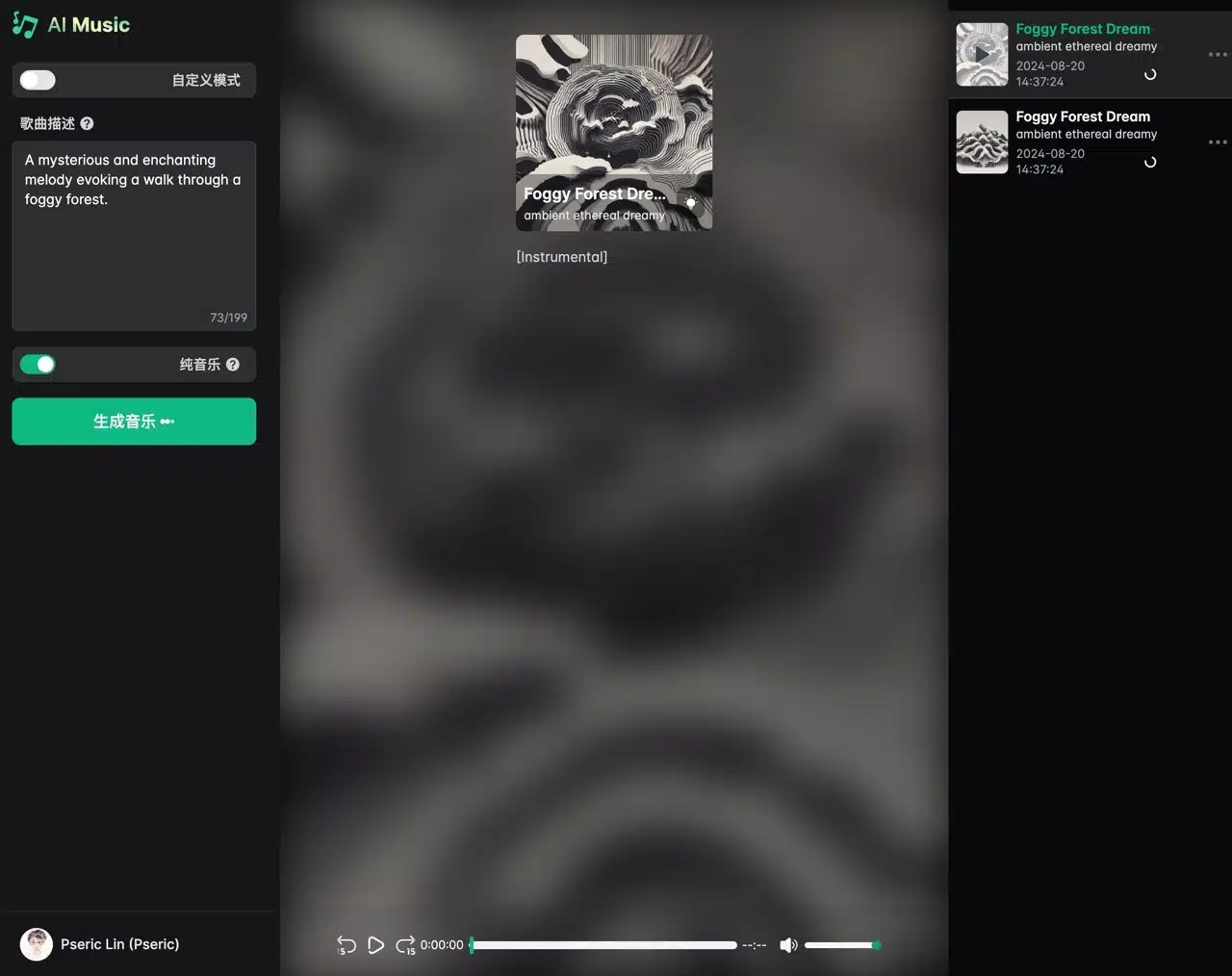
STEP 5
Tap the menu icon next to the music in the top-right corner to access options like Share, Download, and Delete Music.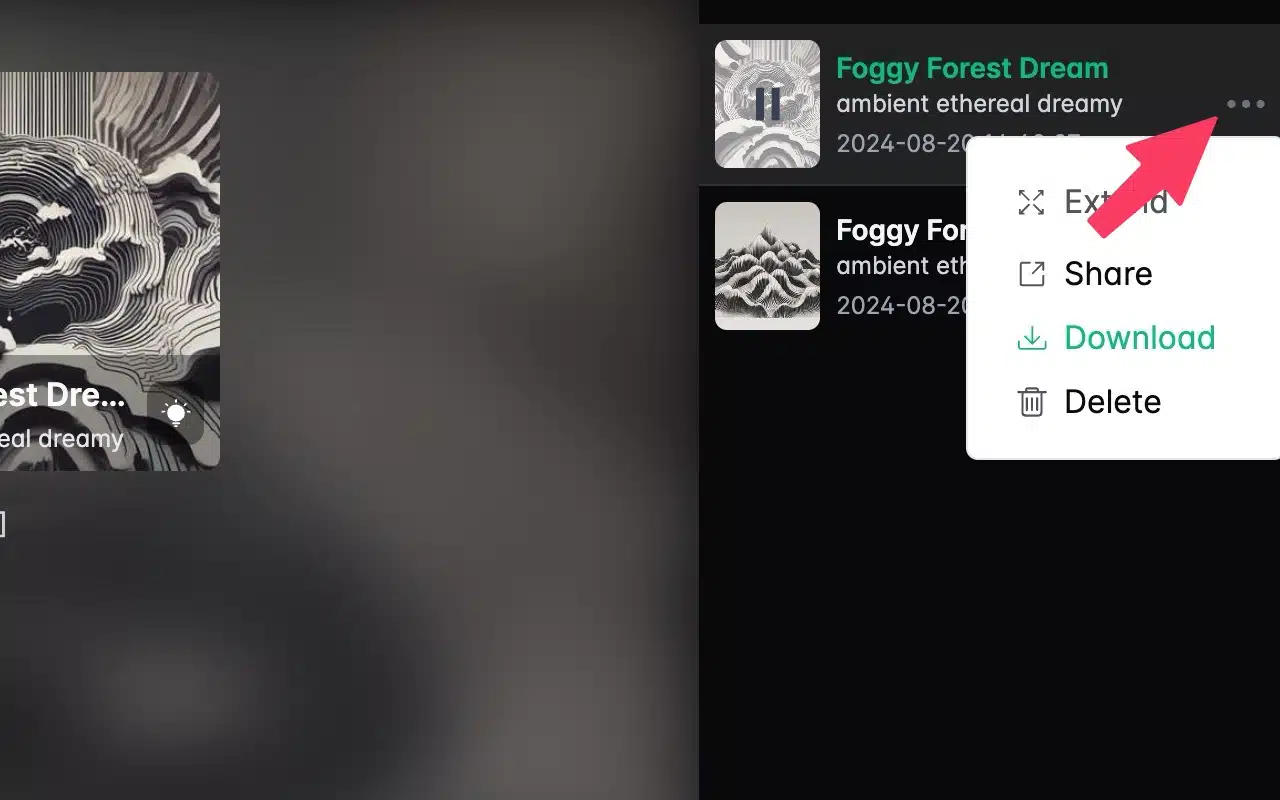
STEP 6
The free plan doesn't allow music downloads, but you can share the URL for others to play it. Select “Share” to open the sharing screen, then press the middle button to copy the URL. 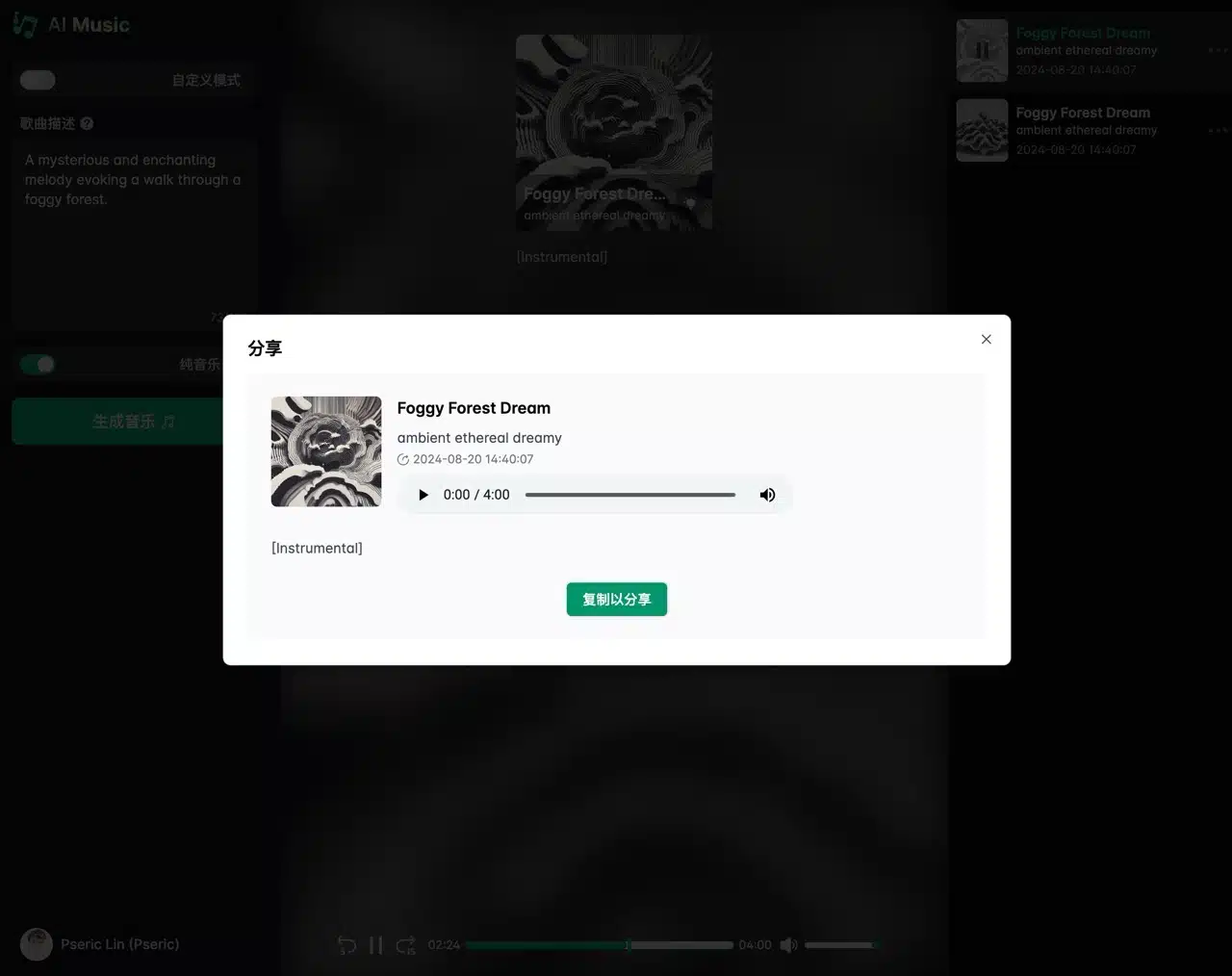 Others can access the generated music via the shared link and play it directly on the webpage (though downloading still requires payment). Additionally, the webpage will recommend other music generated by AIMusic.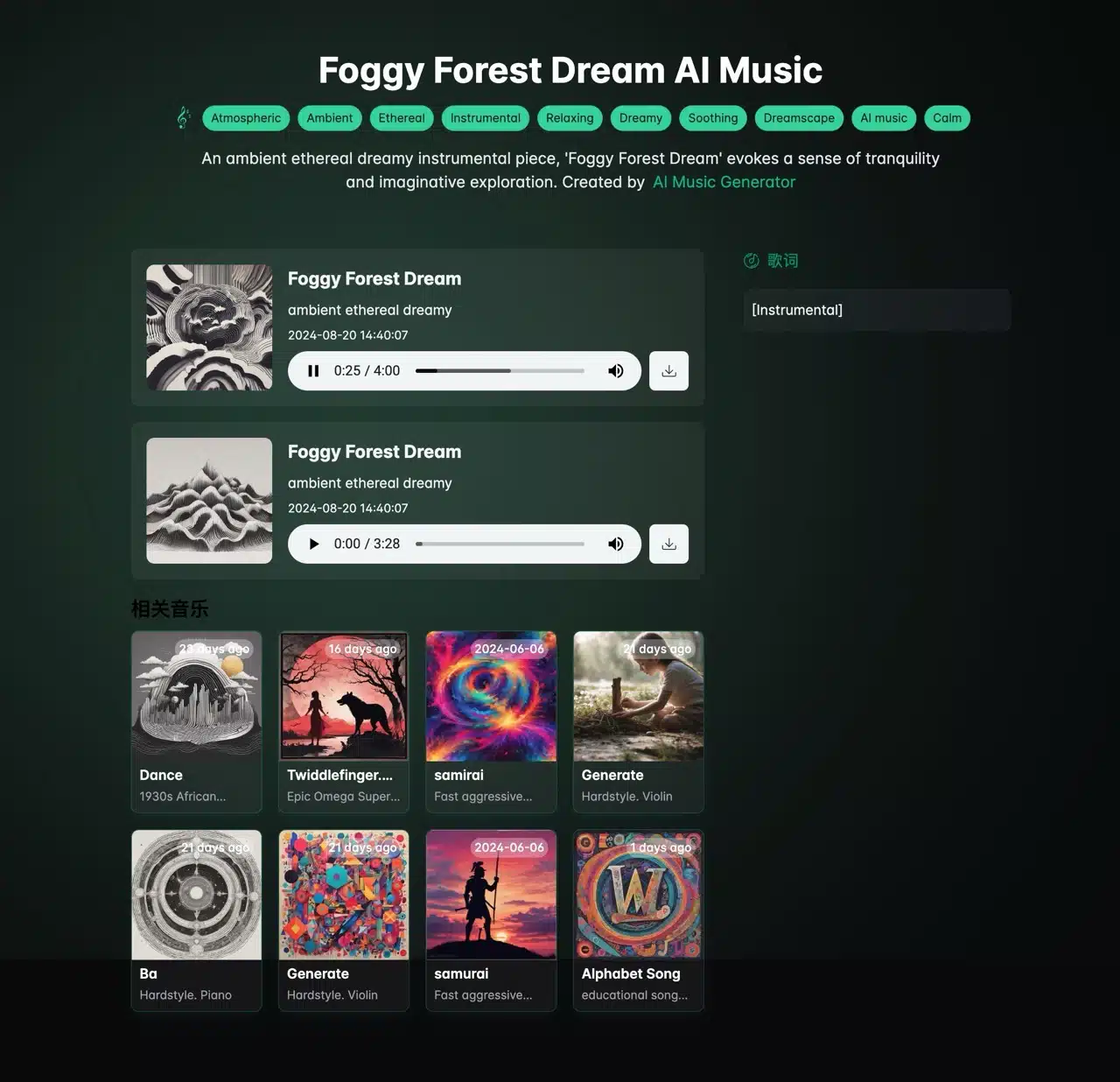
STEP 7
As mentioned earlier, the free AIMusic plan does not allow music downloads.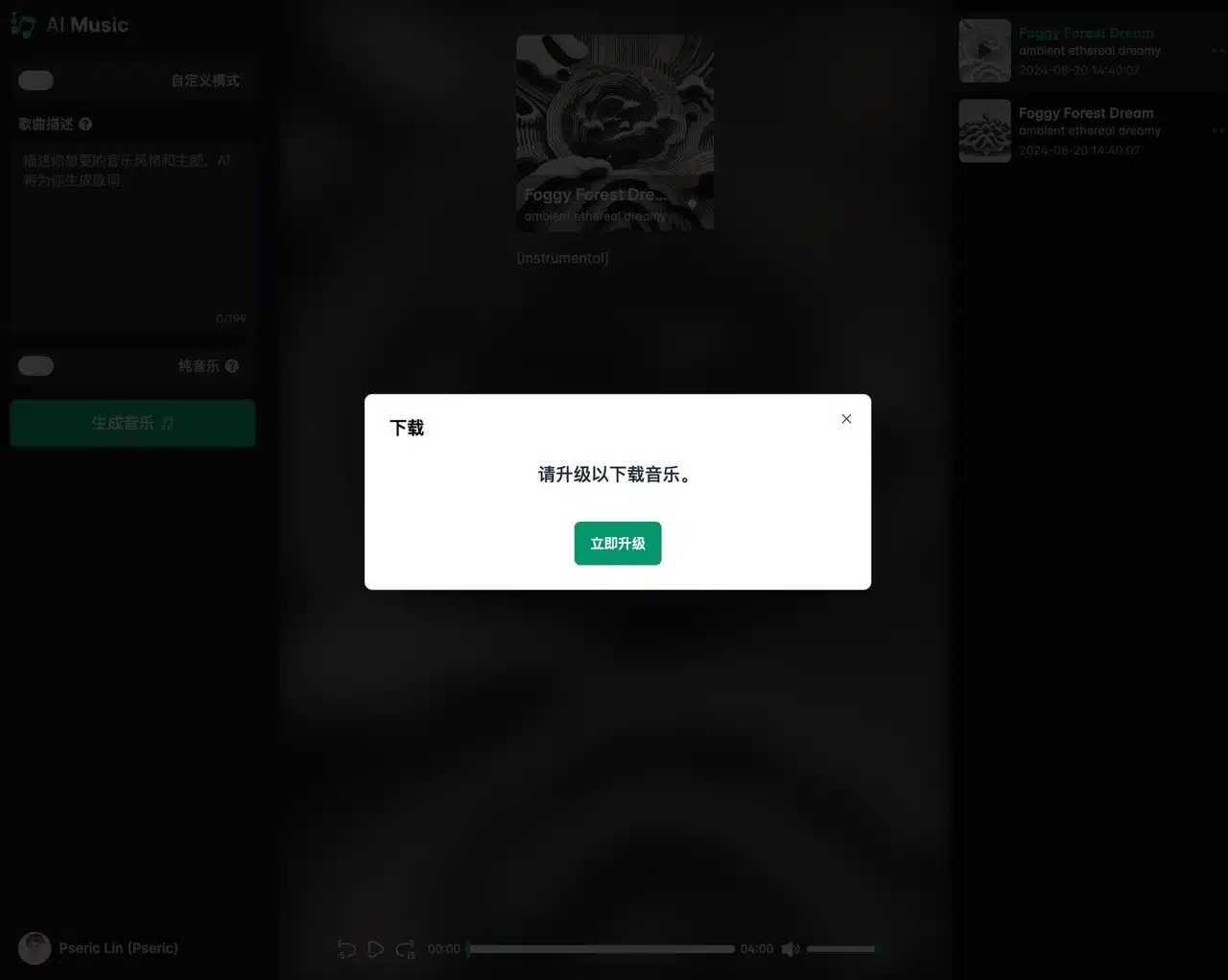 Clicking the download button will prompt an upgrade request. The AIMusic pricing plans include free and paid options. The free plan is limited to 10 songs per day and 5 generation attempts daily. It also lacks commercial licensing, private generation, and most importantly, the music download feature.
Upgrading significantly increases generation quotas and, crucially, unlocks commercial licensing and music downloads. Essentially, AIMusic requires a subscription for full functionality. Pricing offers monthly or annual billing options, with a 20% discount for annual payments. For short-term use, monthly billing is available at a slightly higher rate, though still within reasonable limits.