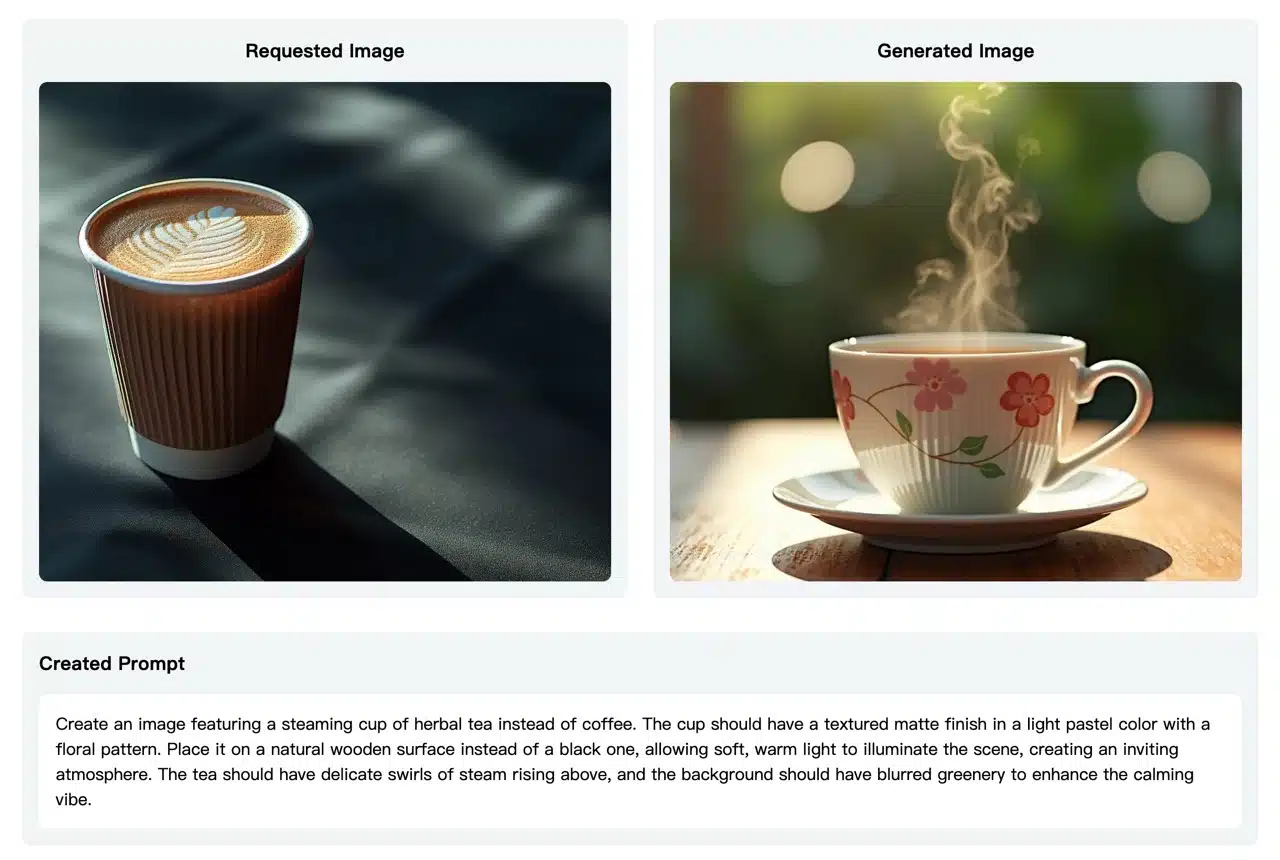
Previous AI image generation tools mostly required users to input prompts to generate various image outputs. Sometimes, when unsure how to describe an image, users would first use image-to-text tools to let AI recognize and generate keywords for descriptions. Later, image-to-image AI tools made the process much simpler. For example, the previously recommended “Aux Machina: AI-Driven Image Generator – The Essential Efficiency Tool for Designers” proved exceptionally powerful! Users upload photos to quickly generate similar yet distinct images, with commercial use supported.
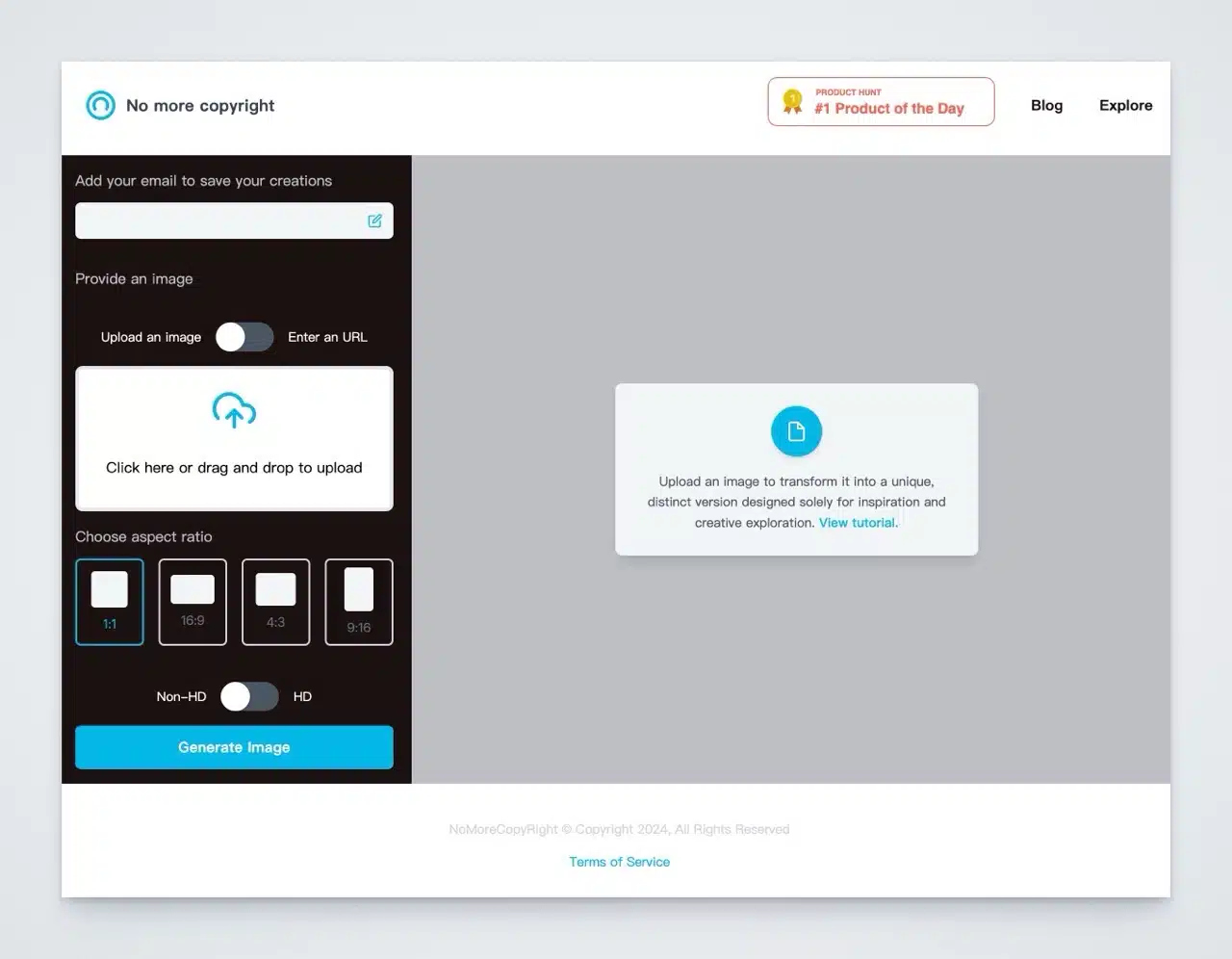
The tool featured here, “No More Copyright,” is a generative AI (GenAI) platform. Users upload an image, and it swiftly transforms it into a unique image designed specifically for inspiration and creative exploration. Simply put, No More Copyright functions as an image-to-image generator. By selecting an image or entering a URL, it rapidly produces a similar scene that differs entirely in detail. It even allows users to preset the image's aspect ratio according to their needs.
No More Copyright explicitly states in its terms of service that this service is intended solely for inspirational and entertainment purposes. Users bear full responsibility for generating, using, and distributing the content. Illegal use is prohibited. Of course, AI images generated using this service can be freely used for both personal and commercial purposes without issue (similar to other AI image generation tools).
How to Use No More Copyright
1. Enter Email (Optional)
Upon opening No More Copyright, a prompt will appear asking for your email address. Providing an email allows you to save generated image records. However, skipping this step is acceptable—you will still retain unlimited generation privileges.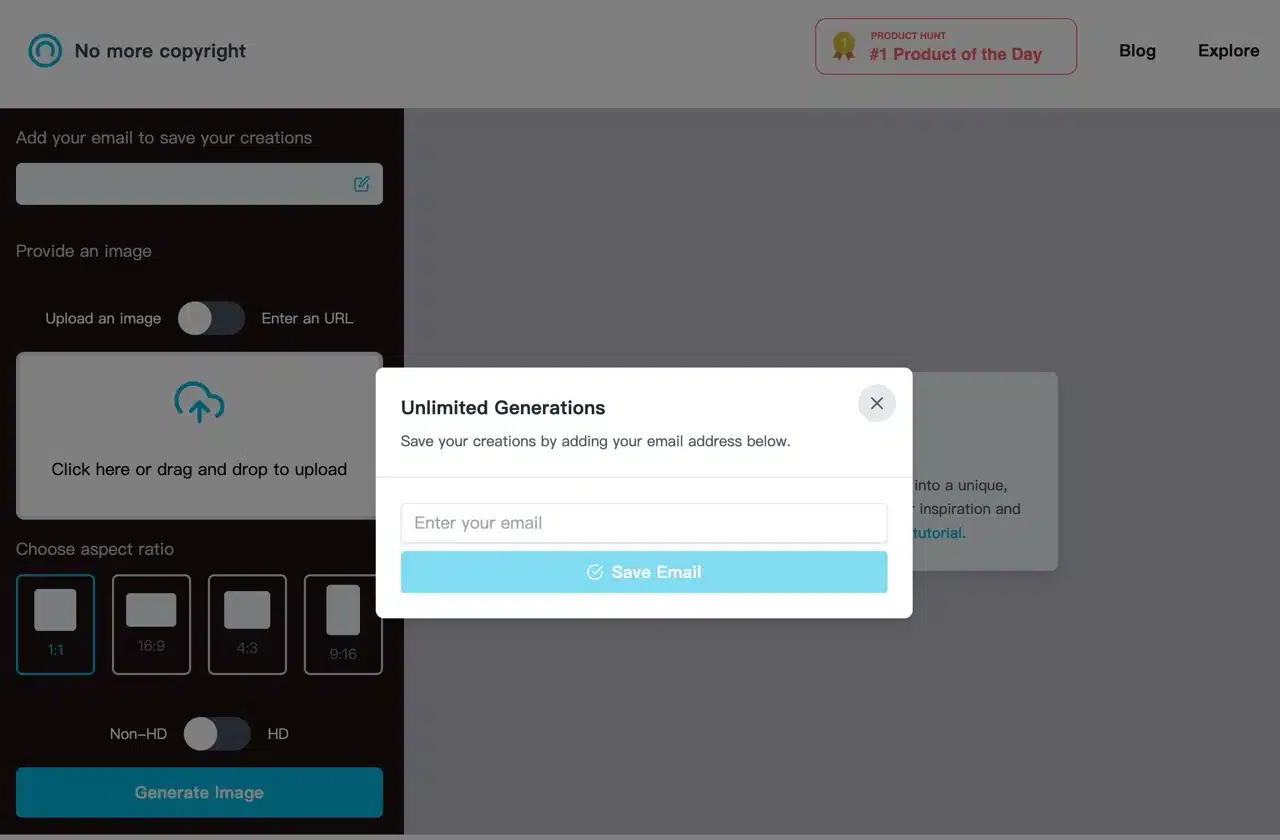
2. Upload an Image or Enter a URL
Directly click and select the source image you want to generate in the upload field on the left. Alternatively, switch to “Enter an URL” to input the image's web address. Before generating the image, you can pre-select the aspect ratio (1:1, 16:9, 4:3, or 9:16) and choose whether to generate a high-resolution image (HD) or a standard-definition image (Non-HD).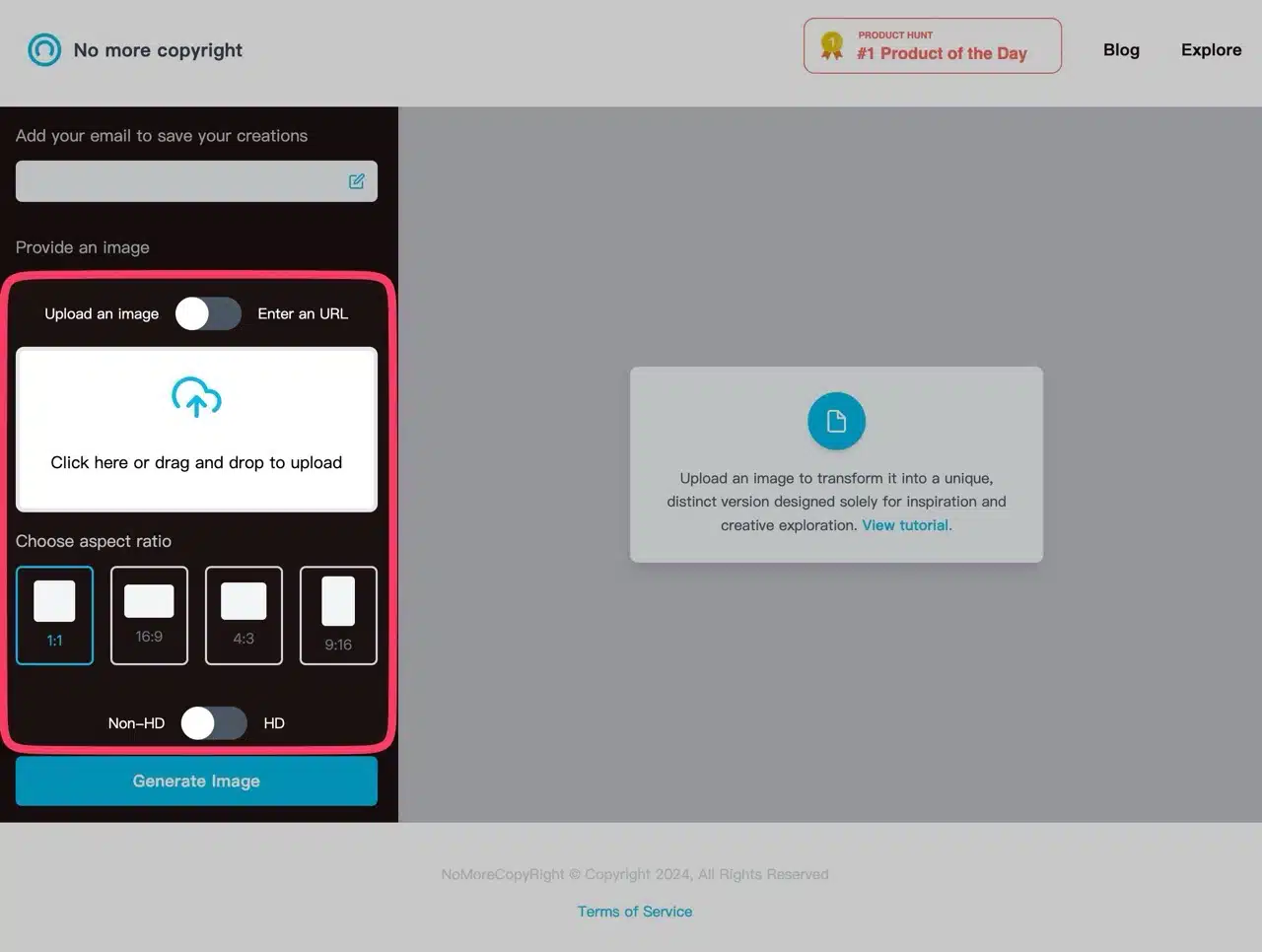
3. Generate Image
Once everything is set, click “Generate Image” in the bottom-left corner to start producing the image.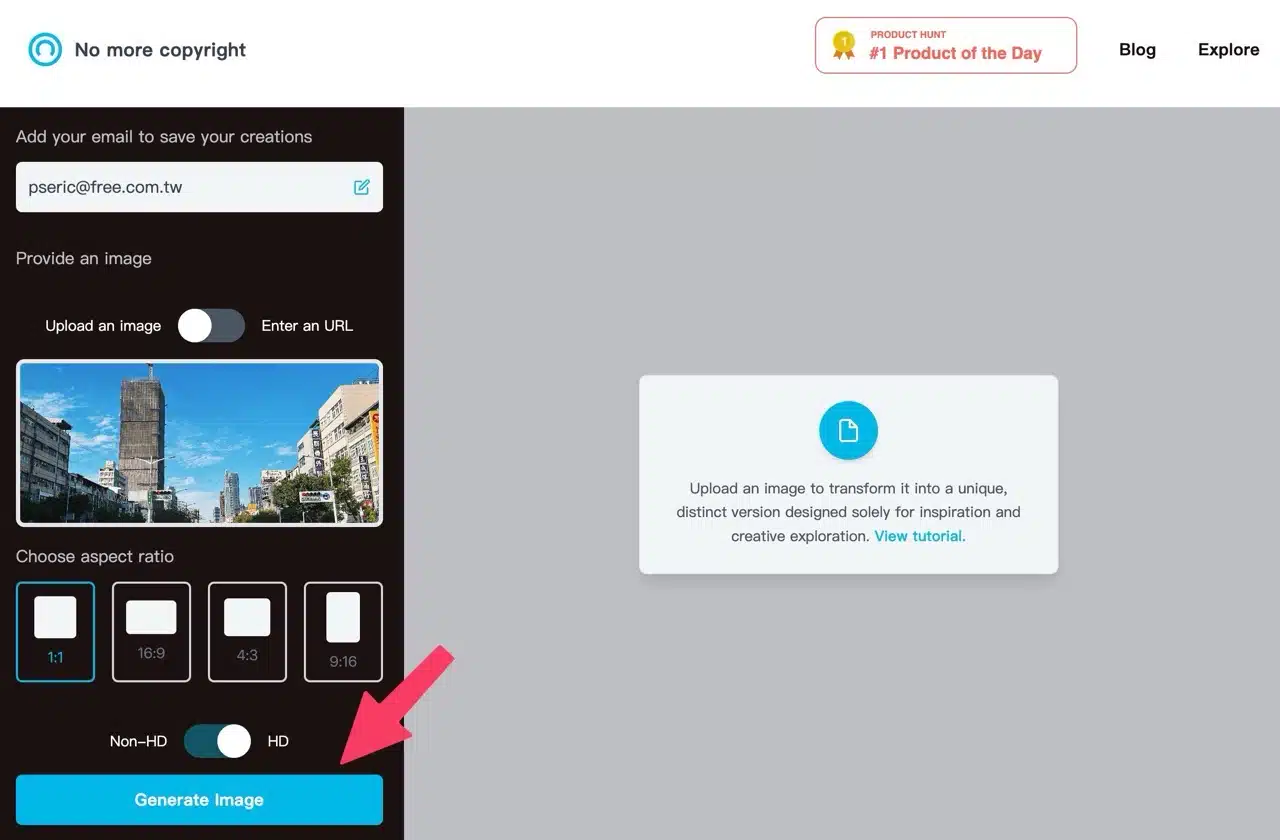
4. Save and Record
After testing several images, No More Copyright proved highly accurate. The generated images closely resemble the originals, correctly capturing their intended content. Click “Download” in the top-right corner of the generated image to save it. You can also regenerate new images.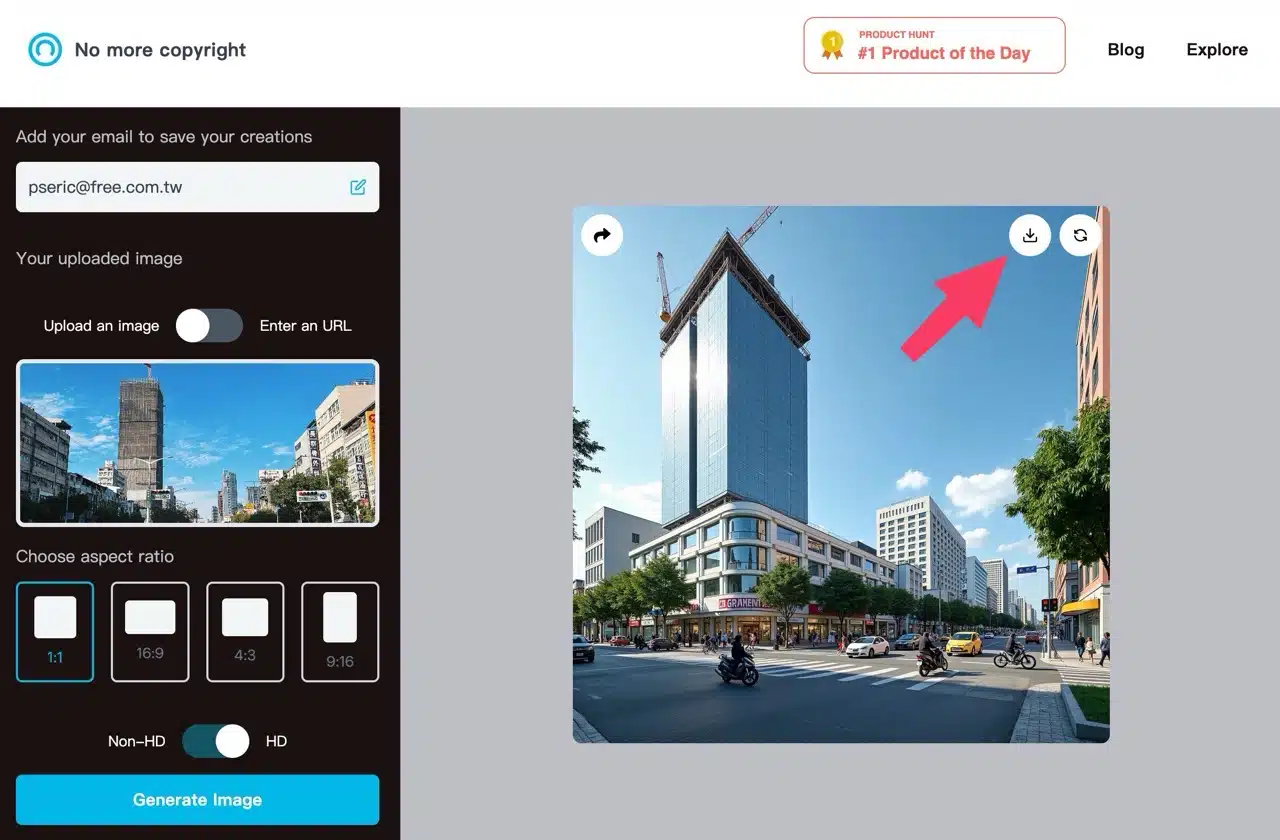
5. Retrieving Image Prompts
If users provide an email address, generated image records can be saved. Scrolling down the page displays these images. Interestingly, clicking into an image page shows the original image, generated image details, and the prompt below. This image description can also be used to generate images in other AI tools!