Using AI image generators often presents a common challenge: crafting effective prompts. This describes the image content. A thorough and detailed description typically yields images closer to your needs. However, imagining scenes from scratch can be challenging. One approach is to use image-to-text tools: upload the image, let AI analyze and recognize it to generate prompts, then fine-tune these descriptions—making the process relatively easier.
AI Describe Pictures: The Ultimate Image Description Tool
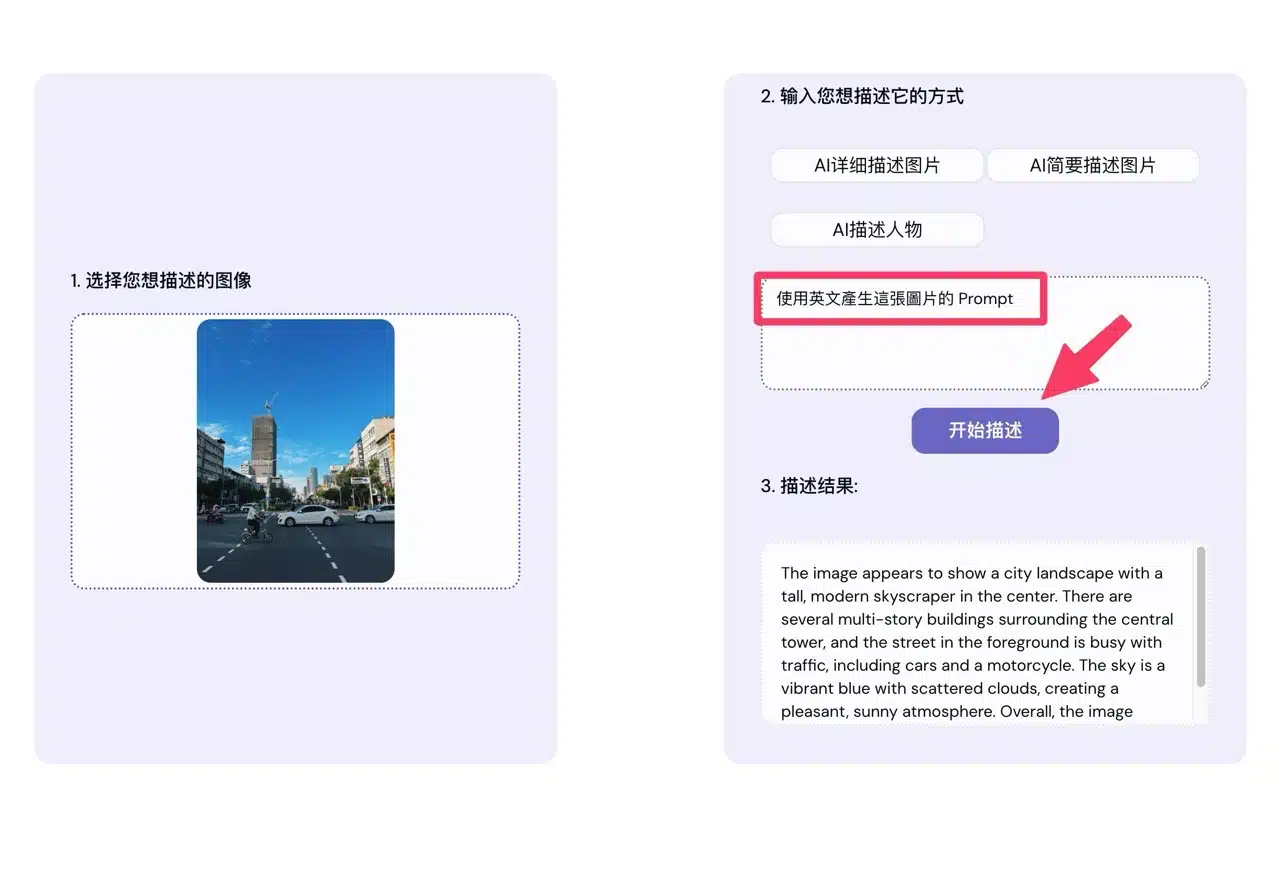
This article recommends “AI Describe Pictures,” an online tool for describing images. Users simply upload an image and select their desired description method to receive relevant results in seconds. By default, it offers three options: AI Detailed Image Description, AI Brief Image Description, and AI Character Description. If needed, users can also input their own prompts to guide the AI, such as requesting it to generate an English image description.
User Guide
STEP 1
After opening the Describe Pictures website, click “Get Started” to access the editor (or scroll down the page). First, select the image file you want to analyze, or simply drag and drop the image file directly into the editor.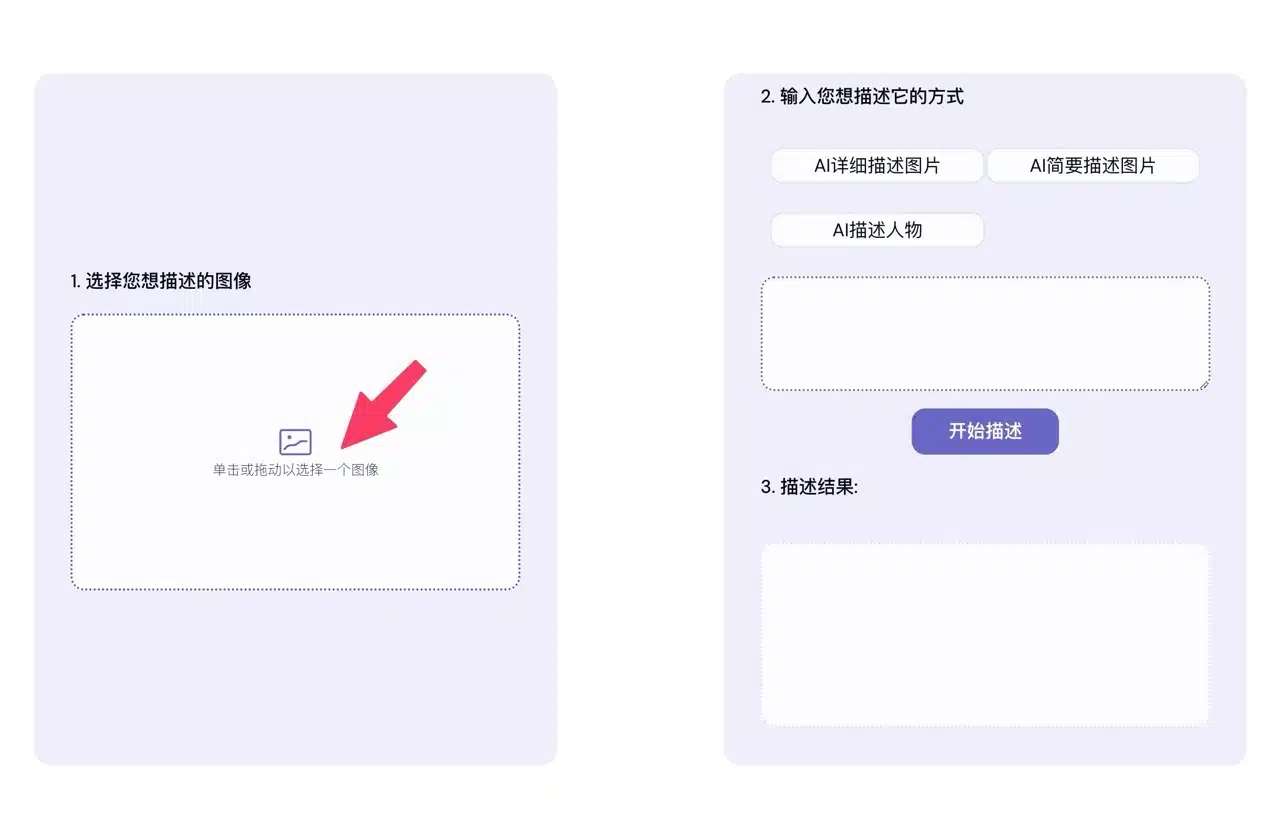
Next, in Step 2 at the top right, choose how you want the image described. Options include: AI Detailed Image Description, AI Brief Image Description, or AI Character Description. Your selection will automatically populate the prompt. Of course, you can modify the instructions to suit your needs.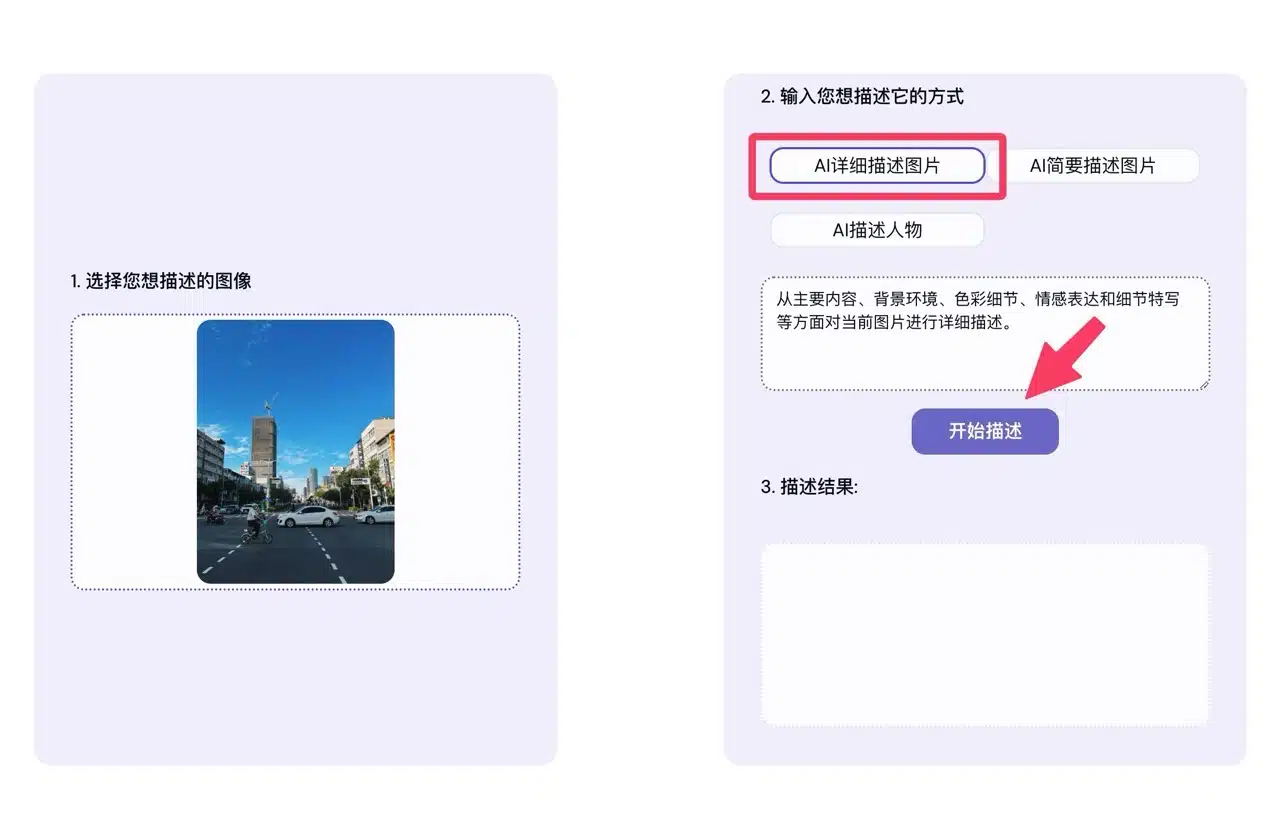 After clicking “Start Describing,” the AI will analyze the image and generate a description. The detailed description option produces a very comprehensive result.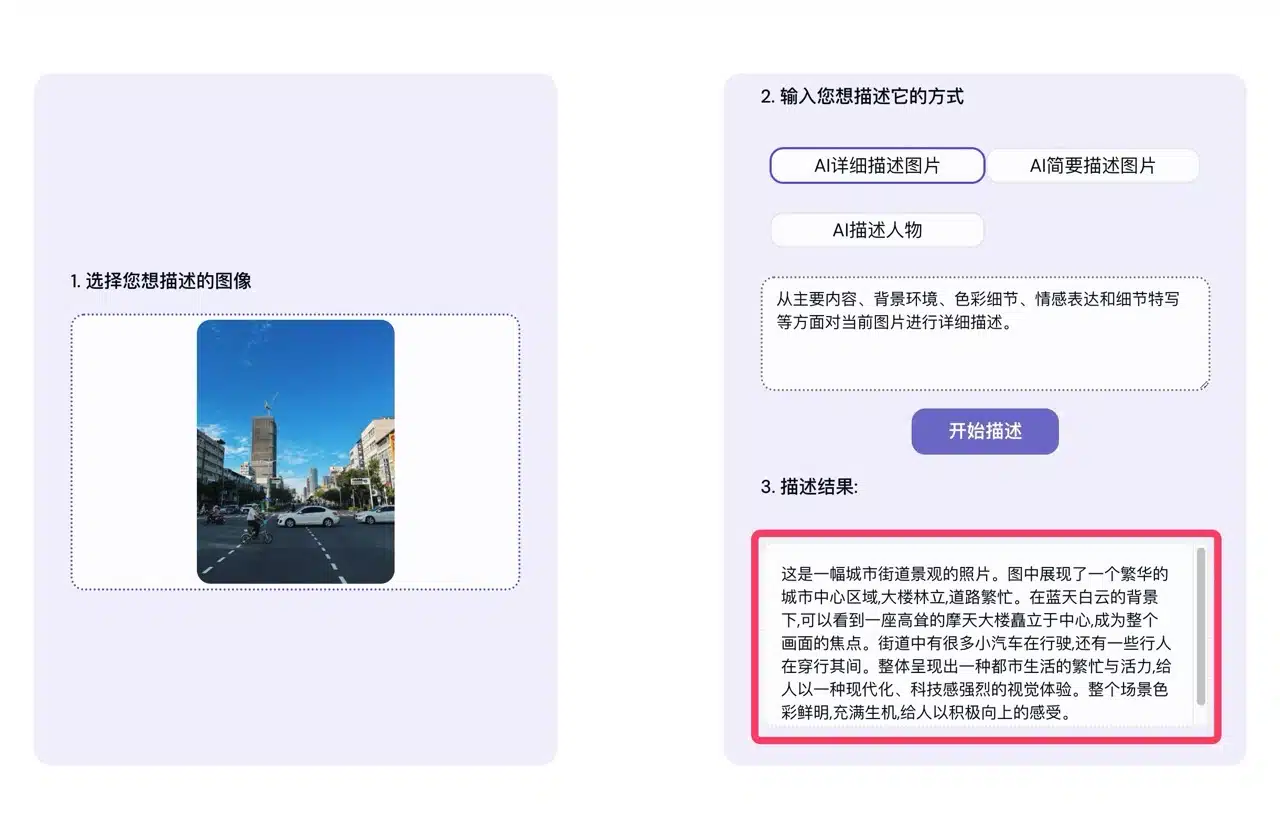
STEP 2
Selecting AI Brief Image Description will provide a concise summary of the image content, with relatively shorter generated descriptions. Another option is “AI Character Description.”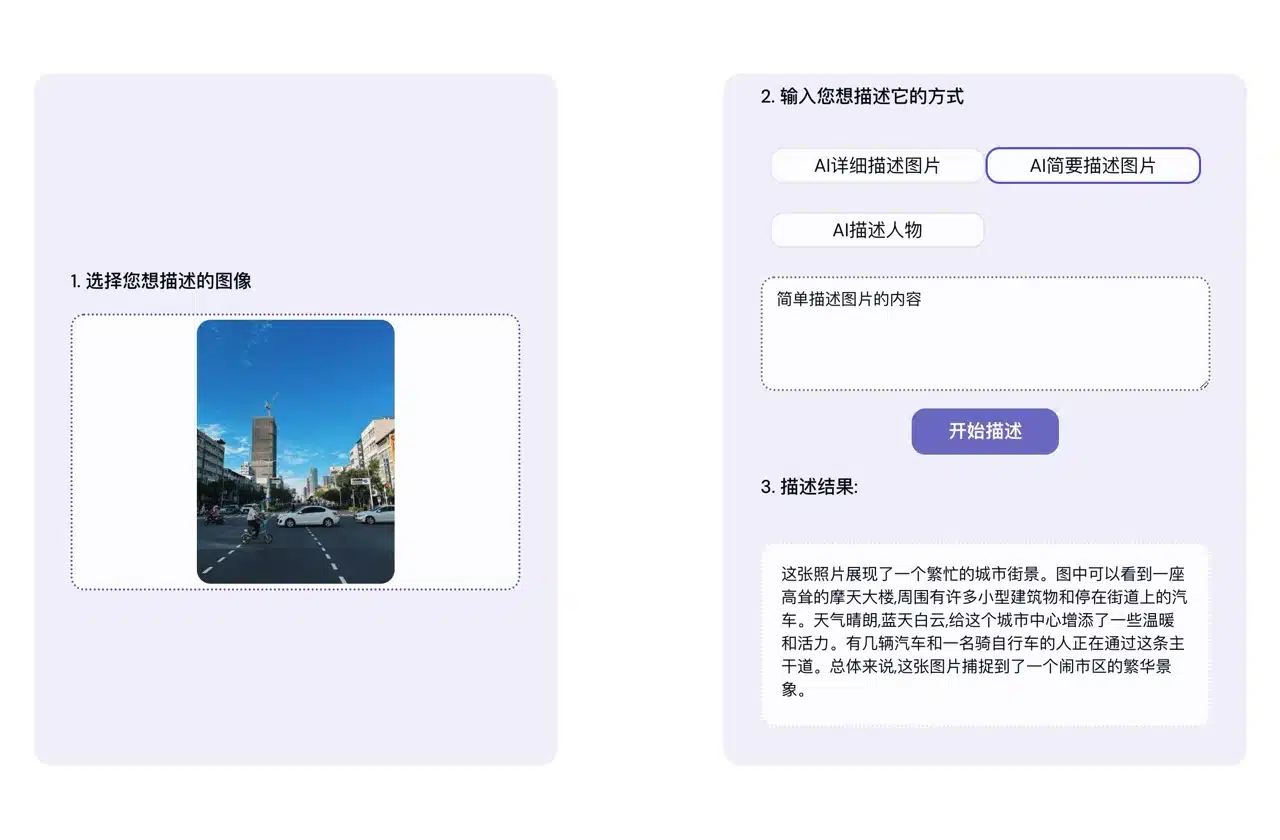 If the image primarily features a person, this mode describes the subject based on appearance, clothing, posture, and actions.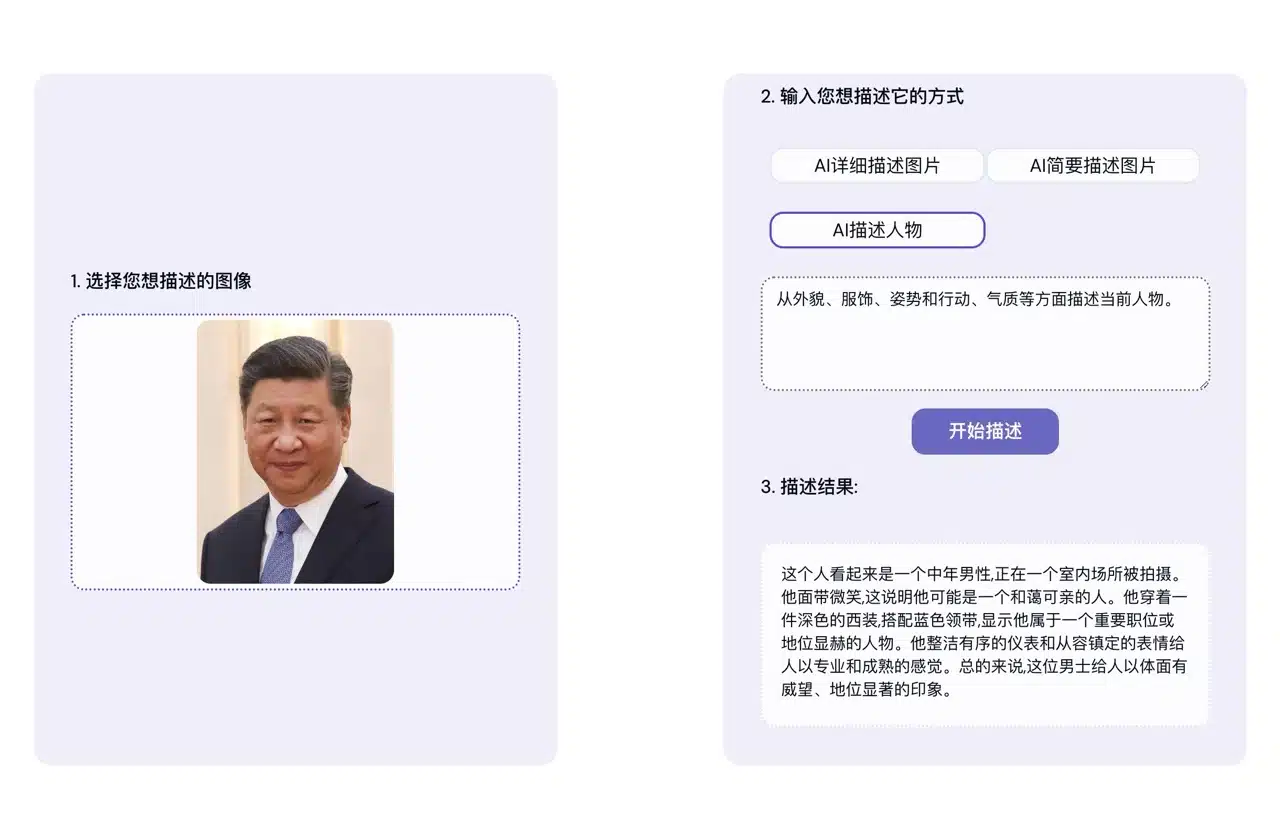
STEP 3
You can freely edit and modify the AI-generated description prompts. For example, entering “Generate the prompt for this image in English” will convert the description into English, enabling its use with other AI image generators to create similar images.